Written by: Doug Camplejohn, CEO & Co-Founder, Coffee | Last updated: July 15, 2026
Key Takeaways for Tiny Sales Teams
- Most legacy CRMs still force manual data entry, which costs small sales teams hours each week that could be spent selling.
- Agent-first platforms like Coffee remove human data entry by logging calls, emails, and meetings into the CRM automatically.
- Setup time, pricing, and maintenance burden vary widely, and Coffee gives 1–5 person teams the fastest path to active automation.
- Coffee also includes enrichment, meeting intelligence, visitor identification, and pipeline forecasting without extra tools or exports.
- For teams ready to remove manual CRM work entirely, see Coffee’s pricing and start your trial today.
Why Automation Without Data Entry Matters
Legacy CRMs create an automation gap because they were built as passive databases that wait for humans to feed them data. Platforms like HubSpot, Pipedrive, Freshsales, and Zoho store information reliably but still depend on reps to type in every call, email, and meeting. Salesforce’s State of Sales reports (2024 and 2026) show that reps spend 25–28% or over 50% of their time on non-selling tasks, including data entry, with no 2025 report citing 17% for manual CRM entry. Agent-first options change this model by using software that writes to the CRM on the rep’s behalf.
The seven evaluation criteria used throughout this comparison are:
- Weekly data-entry hours eliminated per rep
- Setup time from sign-up to active use
- Monthly cost for three seats (all-in, mid-tier)
- Eliminates manual logging entirely (yes/no)
- Structured and unstructured data handling
- Google Workspace and Microsoft 365 integration depth
- Long-term maintenance burden for non-technical founders
Best CRM Choice for 1–3 Person Sales Teams
The table below compares five options on the four most decisive metrics for tiny teams. Coffee eliminates 8–12 hours of manual work per rep each week and reaches active use in hours, while legacy CRMs save only 2–4 hours and often need weeks of configuration. Coffee is the only option here that removes data entry as a founder responsibility. Every figure is cited inline. “Weekly data-entry hours saved” reflects the reduction from a baseline of approximately 10 hours per week of administrative tasks for B2B reps, using platform-specific automation depth data. Setup time reflects time to an active, data-populating state, not just account creation. Monthly cost for three seats uses publicly listed pricing on annual billing as of July 2026.
The table focuses on four core metrics: time saved, setup speed, cost, and whether manual logging disappears. The remaining criteria around data handling, integration depth, and long-term maintenance appear in the dedicated sections that follow, where they can be explained with more nuance than a table cell allows.
| CRM | Weekly data-entry hours saved (per rep) | Setup time to active use | Monthly cost — 3 seats (annual billing) | Eliminates manual logging entirely |
|---|---|---|---|---|
| Coffee (Standalone) | 8–12 hrs | Hours (connects via Google Workspace or Microsoft 365 auth) | Contact Coffee for pricing | Yes |
| HubSpot Sales Hub Starter | 3–4 hrs (Breeze AI reduces entry by 30–40%) | 6–12 weeks to full automation | ~$45/mo ($15/seat) | No |
| Pipedrive Growth | 2–3 hrs (rules-based automation only) | Under 45 minutes for pipeline; sequences require additional config | $117/mo ($39/seat) | No |
| Zoho CRM Professional | 2–3 hrs (Zia AI suggestions, not autonomous writes) | 6–12 weeks due to configuration demands | ~$69/mo ($23/seat) | No |
| Freshsales Pro | 2–3 hrs (Freddy AI scoring; logging still manual) | Fast setup; clean interface | ~$117/mo ($39/seat) | No |
Book a Coffee demo to see how an agent-first CRM compares to your current stack in a live environment.
Data Capture and Enrichment for Real-World Selling
Legacy CRMs handle structured data such as company name, deal stage, and close date reasonably well when humans fill in the fields. They struggle with unstructured data like email threads, call transcripts, and meeting notes that contain the real signal about a deal. Gangly’s 2026 analysis identifies six CRM tasks as fully automatable in 2026, including activity logging from calls and emails, contact data enrichment, and stage progression after a logged interaction. Legacy platforms do not automate these tasks end to end without human confirmation at each step.
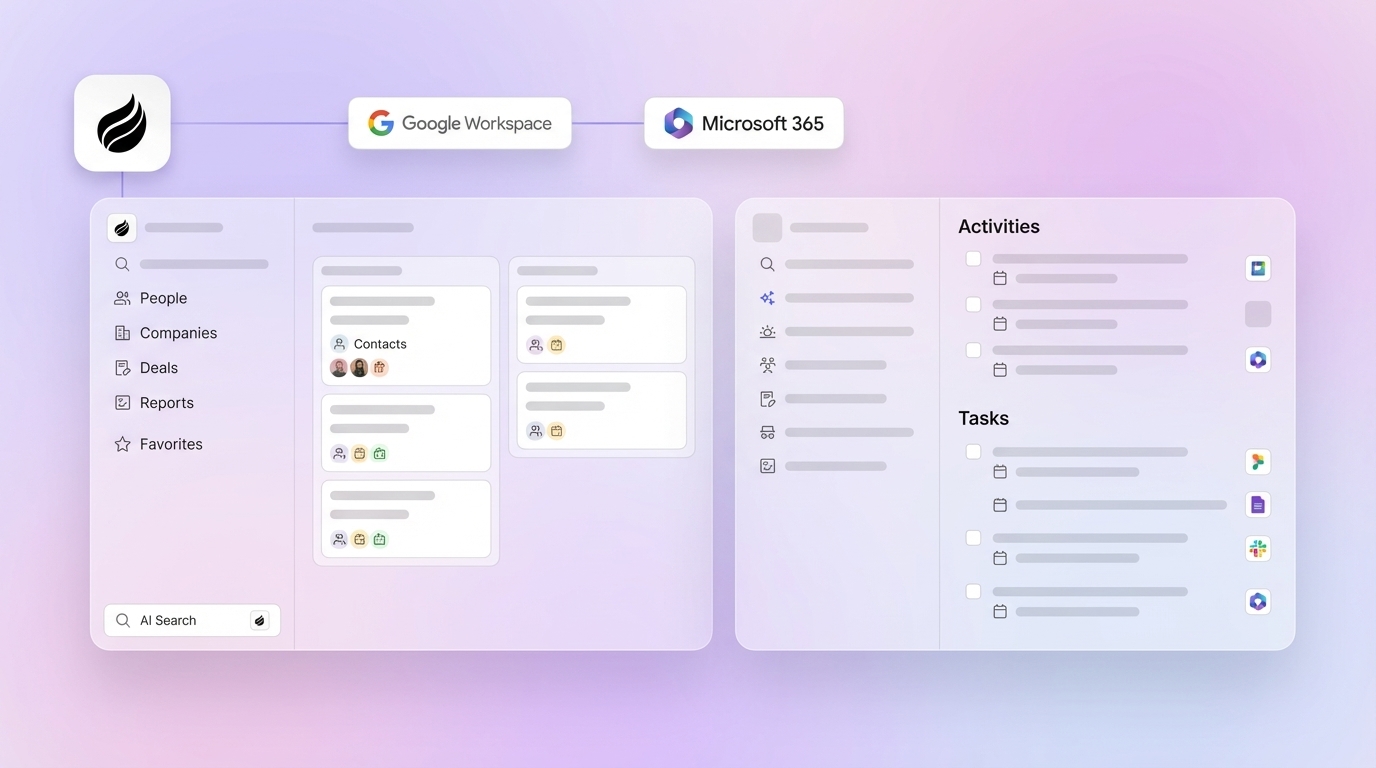
Agent-first CRMs solve this gap by automating all six tasks without human review. Coffee connects to Google Workspace or Microsoft 365 on first authentication and immediately scans emails and calendars to auto-create contacts, companies, and activity logs. It enriches records with job titles, funding data, and LinkedIn profiles through licensed data partners, which removes the need for separate tools like Apollo or ZoomInfo. Unstructured inputs such as call transcripts and email bodies are parsed and written to structured fields automatically.

HubSpot Breeze AI on paid plans reduces manual data entry by 30–40% for active users but still requires reps to review and accept suggested field updates. HubSpot Breeze AI Smart Deal Progression only suggests updates that reps must accept or reject, and it does not write autonomously. Pipedrive and Freshsales rely on email sync for activity logging but do not parse unstructured content into CRM fields. Zoho Zia provides field suggestions, not autonomous writes.
Meeting Management and Follow-Up for Tiny Teams
Pre- and post-meeting automation is the area where agent-first tools pull far ahead of legacy options. Gartner reports that sellers spend a substantial portion of their time on activities that could be delegated, automated, or simplified.

Coffee’s agent joins Zoom, Teams, and Google Meet calls to record and transcribe. After the call, it generates summaries, identifies next steps, and drafts follow-up emails in Gmail for the rep to review and send. It structures notes according to BANT, MEDDIC, or SPICED automatically. Before the meeting, it prepares a briefing on attendees, roles, and past interaction context.

HubSpot offers meeting scheduling and basic email sequences but does not join calls or generate post-meeting summaries natively without third-party integrations. Pipedrive and Freshsales provide activity reminders and email templates but no autonomous meeting intelligence. The time savings described earlier, up to 12 hours per week per rep, come largely from this meeting automation, where legacy tools cannot compete without stacking additional point solutions like Gong or Fathom.

Pipeline Intelligence Without Manual Exports
Accurate pipeline intelligence depends on clean, timely data. Many businesses using CRM automation report better forecast accuracy, but only when the underlying data is complete. Legacy CRMs often produce unreliable forecasts because the data entering them is incomplete or late. Validity’s State of CRM Data Management in 2025 report found that 76% of organizations have less than half of their CRM data accurate and complete.
Coffee’s Pipeline Compare feature visualizes week-over-week changes automatically and highlights progressed deals, stalled opportunities, and new additions without CSV exports or manual review preparation. Because the agent captures history in a built-in data warehouse, the output relies on ground-truth interaction data rather than rep-reported updates.
HubSpot and Salesforce offer forecasting dashboards, but their accuracy depends on rep-entered data. Pipedrive provides visual pipeline views with no native forecasting at lower tiers. Zoho CRM includes forecasting at the Professional tier but still requires clean manual input to produce reliable outputs.
Visitor Identification and Lead Routing for Small Teams
Anonymous website traffic represents a missed opportunity for most CRMs. Coffee includes visitor identification inside the product, using a single tracking pixel that identifies visitors by name, title, email, and LinkedIn profile, along with company, pages visited, time on site, and visit frequency. Real-time Slack notifications surface high-fit visitors, and one click adds the prospect to Coffee with enrichment pre-filled.

Coffee’s differentiator against standalone tools like RB2B and Warmly is Suggested Leads. Instead of surfacing only a company or a long list of people, Coffee uses the buyer persona to recommend the two or three individuals inside the visiting company who are most relevant, with LinkedIn profiles ready for outreach.
HubSpot offers website visitor tracking on paid plans but does not identify named individuals at the same resolution. Pipedrive, Freshsales, and Zoho have no native visitor identification, so teams must purchase separate tools and manage additional integrations.
Long-Term Maintenance and Hidden CRM Costs
Licensing fees typically represent only 30–40% of total CRM expenditure, with the remaining 60–70% coming from implementation, customization, training, ongoing administration, integrations, and add-ons. For a non-technical founder, this hidden cost becomes the most dangerous line item in any CRM evaluation.
Salesforce implementations for small businesses (1–50 users) typically take 3–8 weeks with minimal customization. HubSpot Sales Hub Professional adds a one-time onboarding fee. An in-house HubSpot administrator represents a significant annual cost that no five-person team should absorb.
Coffee is SOC 2 Type 2 and GDPR compliant, and it does not use customer data to train public models. Its seat-based pricing includes the agent’s labor with no complex metering on LLM usage or automated processes. For teams that outgrow the standalone CRM, the Companion App model deploys the same agent on top of an existing Salesforce or HubSpot instance through simple authentication, so no rip-and-replace project is required.
Best-Fit Coffee Use Cases for Tiny Teams
Different team configurations face different constraints, so the best-fit CRM varies by stage and stack.
- 1-person founder team: Coffee Standalone is the clearest fit. The agent handles all data entry, meeting notes, enrichment, and follow-up drafting autonomously. A solo founder with strong automation can handle the lead volume of three sales reps. HubSpot Free is a viable zero-cost starting point but requires manual logging and hits automation limits quickly.
- 2–3 rep early-stage team: Coffee Standalone removes the coordination overhead of keeping multiple reps’ CRM entries consistent. For teams of 5 to 50, the main risk with CRM automation is inconsistent data entry across reps, which makes pipeline data unreliable. An agent that writes uniformly solves this problem structurally. Pipedrive Growth is a lower-cost alternative for teams comfortable with manual logging.
- Teams already on Salesforce or HubSpot (companion layer): Coffee’s Companion App deploys the agent as an intelligent layer on top of the existing system of record. The agent handles data-in so the primary CRM stays accurate without human effort, which addresses low adoption and poor data quality without a platform migration.
Risks and Limitations for Sub-5-Person Teams
Every CRM category carries specific risks for teams with fewer than five people.
- Hidden maintenance on legacy tools: As noted in the maintenance analysis above, implementation and admin costs can triple the sticker price, which hits teams without dedicated RevOps resources hardest.
- Incomplete automation on mid-tier plans: Entry-level plans from Pipedrive, Zoho, and Freshsales deliberately omit workflow automation, two-way email sync, and sequences, which forces manual follow-up work.
- Integration gaps: Coffee currently integrates with third-party tools through Zapier, with deeper roadmap integrations in development. Teams with highly specific point-solution stacks should confirm compatibility before committing.
- Overbuying for current headcount: AI CRM data entry is the most over-bought category in sales tech in 2026; the tool is not the constraint, the CRM operating model is. Teams should automate administrative tasks first and then layer intelligence features as their process matures.
- Data quality dependency: Agent-first tools produce better outputs only when connected to complete data sources. Teams with fragmented email histories or no calendar integration will see reduced enrichment accuracy during the initial sync period.
Decision Framework Checklist for Choosing a CRM
Use this checklist as a step-by-step filter that moves from time savings to risk and compliance.
- If manual data entry consumes more than five hours per rep per week, prioritize tools that write to the CRM autonomously, not tools that only suggest updates for human review. This filter decides whether you are buying real automation or just another system that still needs manual work.
- After you identify tools that eliminate manual entry, evaluate setup time. If you need the CRM working this week instead of this quarter, avoid platforms that require six or more weeks of configuration before automation is active.
- Once you narrow the list by automation depth and setup speed, compare total cost of ownership instead of sticker price. Add license fees, implementation costs, and ongoing admin time to understand the real monthly burden.
- When the team already uses Salesforce or HubSpot, consider a companion agent layer before planning a full migration. This step protects existing workflows while still improving data quality.
- If unstructured data such as call transcripts and email threads contains critical deal context, confirm that the platform parses and writes that content to structured fields without manual intervention. This check ensures that your forecasts reflect reality instead of partial notes.
- If the team is non-technical, favor platforms with sub-day setup and no dedicated admin requirement. This choice keeps founders and reps focused on selling instead of system maintenance.
- If compliance is a requirement, verify SOC 2 Type 2 and GDPR status before signing. This final step reduces legal and security risk as the team scales.
Frequently Asked Questions
How long does it take to implement a CRM for a team of fewer than five people?
Implementation time varies significantly by platform architecture. Agent-first CRMs like Coffee connect via Google Workspace or Microsoft 365 authentication and begin populating data within hours of setup, and no pipeline configuration or field mapping is required before the agent starts working. Legacy platforms like HubSpot Sales Hub Professional and Zoho CRM typically require six to twelve weeks to reach a fully automated state, including pipeline configuration, sequence setup, and integration testing. Pipedrive is faster at the pipeline level, often under 45 minutes, but automation and email sync require additional configuration time. For a non-technical founder, the realistic focus should be how long it takes until the CRM is actually maintaining itself.
How difficult is it to migrate from spreadsheets to a CRM?
Spreadsheet migration usually involves three steps: exporting contacts and deal data to CSV, mapping columns to CRM fields, and importing. Most platforms support CSV import natively, and a clean spreadsheet with consistent column headers typically imports in under an hour. The harder problem is historical context such as email threads, call notes, and meeting outcomes that live outside the spreadsheet. Agent-first CRMs address this by scanning connected email and calendar accounts retroactively and surfacing historical interactions without manual re-entry. Legacy CRMs require that historical context to be entered manually or left behind. Teams migrating from spreadsheets should favor platforms that solve the ongoing data-entry problem automatically, not just the one-time import.
What should teams consider when evaluating Google Workspace or Microsoft 365 integration?
Integration depth matters more than whether an integration exists. Most CRMs advertise Gmail or Outlook sync, but quality varies: some sync only sent emails, others sync bidirectionally, and a small number parse email content to update deal fields automatically. Calendar integration ranges from read-only event display to full meeting intelligence with pre-meeting briefings and post-meeting summaries written back to the CRM record. For a 1–5 person team, the key checks are whether the integration requires a browser extension or sidebar or works in the background, whether it logs activities automatically or needs a “log to CRM” click, and whether it handles both Gmail and Outlook in mixed environments. Coffee connects to both Google Workspace and Microsoft 365 at the authentication level, which lets the agent scan emails and calendars continuously without any rep action.
How does Coffee’s data quality compare to dedicated enrichment tools like ZoomInfo?
Coffee provides enrichment data roughly on par with ZoomInfo for most small-team use cases, sourced through licensed data partners and augmented by the agent’s parsing of emails, calendars, and call transcripts. The practical difference for a 1–5 person team is consolidation, because Coffee delivers enrichment inside the CRM agent without requiring a separate ZoomInfo subscription, Apollo license, or manual lookup workflow. ZoomInfo and Apollo carry significant standalone costs and require reps to run searches and paste results into CRM records manually. For teams with highly specialized enrichment needs such as intent data, technographic signals at scale, or enterprise account hierarchies, a dedicated enrichment tool may provide incremental coverage. For most early-stage teams, Coffee’s built-in enrichment removes the need for a separate tool entirely.
How should a 1–3 person team evaluate whether Coffee or a legacy CRM is the right fit?
The clearest signal is how the team currently spends its CRM time. If reps log calls manually, copy-paste LinkedIn profiles, write meeting summaries by hand, and update deal stages after every interaction, the problem is architectural, and configuration on a legacy platform will not remove those tasks. Coffee is designed for teams where founders or reps are the only people available to do sales work, and every hour spent on CRM administration is an hour not spent selling. If the team has a dedicated RevOps resource, is already deeply embedded in Salesforce or HubSpot workflows, and needs only incremental automation improvement, the Coffee Companion App is the lower-disruption path. Teams that have outgrown spreadsheets but find legacy CRMs to be expensive manual chores are Coffee’s primary fit.
Conclusion: Choosing an Agent Instead of a Database
The 2026 CRM market splits into two clear categories: passive databases that store data when humans supply it, and active agents that supply the data themselves. For 1–5 person US sales teams, this difference directly affects revenue. For a five-person sales team, time spent on manual CRM admin can add up to the equivalent of one full-time employee’s annual working hours, which becomes the real cost of choosing a passive CRM.
HubSpot, Pipedrive, Freshsales, and Zoho remain viable for teams with implementation resources, tolerance for ongoing admin, and comfort with partial automation, but none of them eliminates human data entry. Coffee is the only option in this comparison that removes manual logging entirely, operating either as a standalone CRM for teams of one to twenty or as a companion agent layer on top of existing Salesforce or HubSpot instances. The agent handles data in so the team gets accurate data out without a single manual log entry.
Start your free Coffee trial and let the agent handle data entry while you focus on selling.