Written by: Doug Camplejohn, CEO & Co-Founder, Coffee | Last updated: July 23, 2026
Key Takeaways for Sales and RevOps Leaders
- Most sales intelligence platforms still rely on manual CRM entry, which keeps reps focused on data entry instead of selling.
- B2B contact data decay can cost teams up to $32,000 per rep in lost productivity each year.
- Only level-5 autonomous agents remove humans from the data loop entirely, and Coffee is the only level-5 platform in this 2026 comparison.
- High-impact evaluation criteria include automation depth, 90-day data refresh, real-time CRM sync, GDPR/SOC 2 compliance, and predictable seat-based pricing.
- Ready to cut manual data entry from your week? See Coffee’s pricing and deployment options.
Why CRM Data Still Decays So Fast in 2026
B2B contact data decays at roughly 22.5% to 30% annually, with technology and SaaS contacts deteriorating fastest. A database of 1,000 contacts retains only 775 valid records after 12 months under normal conditions, and that number drops further during M&A waves or mass layoff cycles.
The core issue sits in the architecture of most CRMs. Salesforce estimates that 91% of CRM data is incomplete, and only 24% of CRM users believe that more than half of their organization's CRM data is accurate and complete. Legacy platforms were built to store data, not to maintain it. They expect reps to update records after every call, meeting, and email, which rarely happens consistently.
Sales reps spend an estimated 550 hours per year, or roughly $32,000 in lost productivity, dealing with bad or missing CRM data. On a ten-rep team, that erosion exceeds $300,000 in lost productivity every year.
Salesforce's 2026 State of Sales report found that 74% of sales professionals spend time on data cleansing. Most platforms still require manual intervention to keep records current. The gap between intent and execution remains the manual entry problem, which most tools on the market still fail to solve.
How to Evaluate Sales Intelligence Platforms in 2026
Buyers evaluating platforms in 2026 need criteria that separate real automation from marketing language. The five points below build from core architecture to cost and risk.
- Automation depth: The platform either eliminates manual entry or only reduces it. Only agent-based architectures remove the human from the data loop, which makes this the foundational criterion. Partial automation still leaves reps responsible for data quality.
- Data accuracy and refresh cadence: Even fully automated systems fail when they spread stale data. Contacts should be re-verified on a rolling 90-day cycle to stay ahead of the 22.5% annual decay rate.
- CRM integration depth: Accurate, fresh data only creates value when it reaches your system of record in real time. Bi-directional, real-time CRM sync with Salesforce and HubSpot is non-negotiable. Scheduled batch syncs create data lag that undermines pipeline accuracy.
- GDPR and compliance posture: Platforms processing EU contact data must provide a signed Data Processing Agreement, EU data residency options, and SOC 2 Type II certification. The EU AI Act applies in phases, with many obligations effective by August 2026 but high-risk obligations delayed until December 2027 or August 2028 depending on the system type, including CRM enrichment and meeting transcription tools.
- Total cost of ownership: Hidden costs around data overages and premium feature gating are the most common source of budget surprises. Seat-based pricing with no usage metering keeps TCO predictable and easier to compare across vendors.
After aligning on these criteria, you can quickly see which tools truly remove manual work and which ones only shift it around. Review Coffee’s pricing and deployment models against these criteria.
2026 Sales Intelligence Platform Comparison: Automation and CRM Entry
The table below scores eight platforms on automation level, from 1 (fully manual) to 5 (fully autonomous agent), and whether the platform still requires manual CRM entry. Automation scores reflect published product capabilities and company-disclosed feature sets as of July 2026.
| Vendor | Automation Level (1–5) | Requires Manual CRM Entry |
|---|---|---|
| Coffee | 5 — Autonomous agent | No |
| ZoomInfo | 3 — AI-assisted sync | Partial — Copilot automates CRM sync but enrichment setup requires configuration |
| Apollo.io | 3 — AI-assisted | Partial — sequences automated, record updates require rep action |
| 6sense | 3 — Intent-driven prioritization | Yes — CRM writes require manual or Zapier-based triggers |
| Cognism | 2 — Data provider with native sync | Yes — native Salesforce/HubSpot integration enriches fields but does not log activities |
| Gong | 2 — Conversation intelligence | Yes — insights surfaced in Gong, CRM updates require rep action |
| HubSpot (native) | 1 — Passive database | Yes — designed around manual entry |
| Salesforce (native) | 1 — Passive database | Yes — Gen Z sellers lose up to two hours per week to manual data entry in Salesforce |
Deep-Dive on Data Entry Automation
The key difference between automation levels 1–4 and level 5 is who triggers CRM writes. In most platforms at levels 2 or 3, enrichment runs when a rep imports a contact, or call data syncs when a rep connects a meeting. The rep still acts as the trigger for every update.
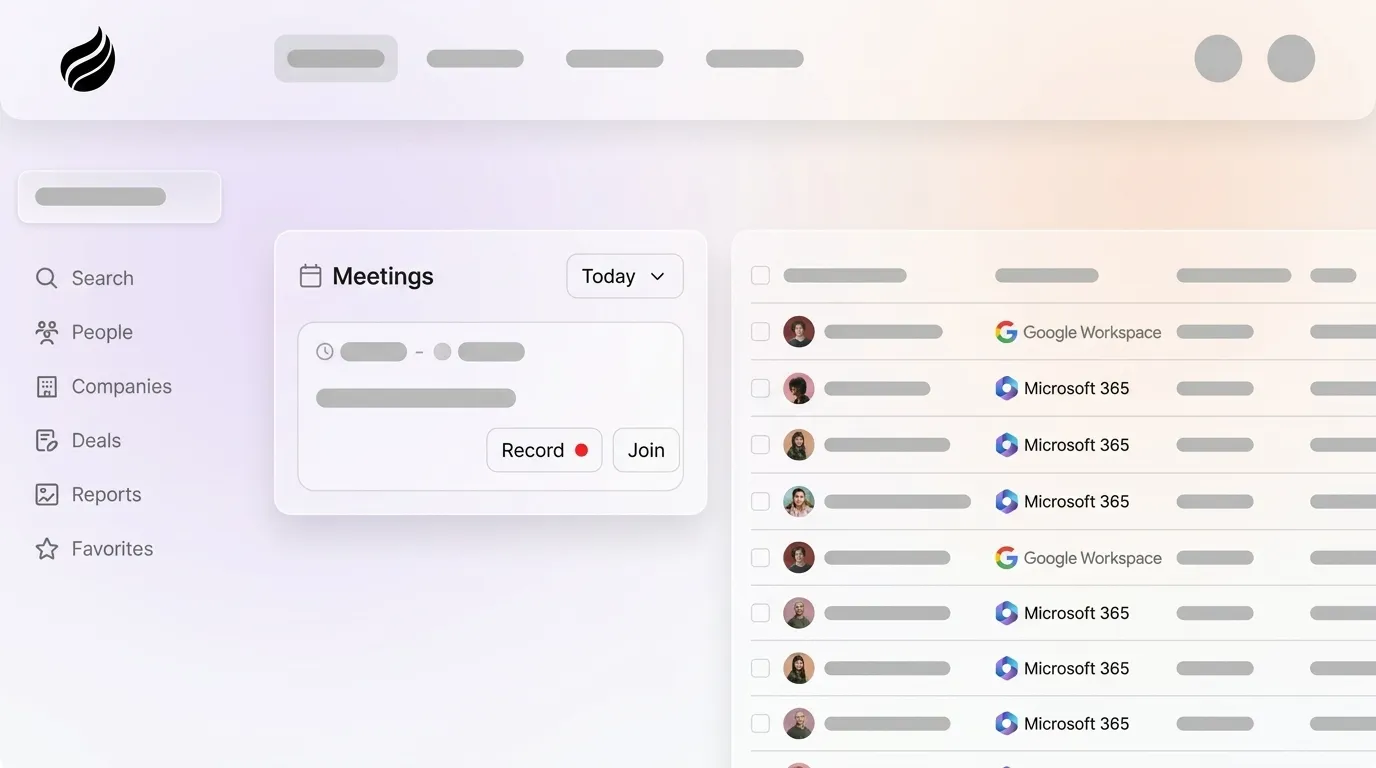
Coffee's agent operates with a different model. After you connect Google Workspace or Microsoft 365, the agent scans emails and calendars to auto-create contacts, companies, and activity logs without any rep action. It enriches records with job titles, funding data, and LinkedIn profiles via licensed data partners, which removes the need for a separate Apollo or ZoomInfo subscription.
Every “last activity” and “next activity” field updates autonomously, so deal state stays current without rep intervention. AI-maintained CRMs deliver consistently more accurate and complete data that improves forecasting, reporting, and coaching reliability compared to human-maintained systems where unfilled fields and outdated stages appear quickly. Coffee is the only platform in this comparison that removes the human from the data entry loop entirely.
Deep-Dive on Meeting Orchestration
Recording and transcription tools such as Gong, Fathom, and Chorus capture what was said in a meeting. They do not prepare reps for upcoming conversations, and they do not write outcomes back to the CRM without manual steps.
Coffee's agent acts as a pre- and post-meeting executive assistant. Before a call, it generates a briefing that covers attendee roles, past interaction history, and deal context. During the call, the AI meeting bot joins Zoom, Teams, or Google Meet to record and transcribe.

After the call, the agent creates a structured summary, identifies next steps, and drafts a follow-up email in Gmail for the rep to review and send. Notes can follow BANT, MEDDIC, or SPICED formats, which keeps qualification data consistent as it flows into the CRM automatically. Many organizations now deploy AI agents across the sales cycle, and meeting orchestration is where individual reps feel the largest time savings.

Deep-Dive on Visitor Identification and Suggested Leads
Website visitor identification tools like RB2B and Warmly typically surface the visiting company or a broad list of people associated with that company's IP range. The rep still chooses who to contact and manually enriches each record before outreach.
Coffee's approach closes that loop. A single tracking pixel identifies visitors by name, title, email, and LinkedIn profile, alongside company, pages visited, time on site, and visit frequency. Real-time Slack notifications surface high-fit visitors, and one click adds the prospect to Coffee with enrichment already filled in.

Suggested Leads provide the main differentiator. Instead of a raw people list, Coffee uses your buyer persona to recommend the two or three individuals inside the visiting company who best match your target profile. It then surfaces their LinkedIn profiles for immediate outbound. No other visitor identification tool in this comparison delivers persona-matched lead recommendations at the moment of identification.

Best-Fit Coffee Use Cases by Company Size and Stack
The right Coffee deployment model depends on your current infrastructure and growth stage.
- Small teams (1–20 employees) replacing spreadsheets or Notion: Coffee Standalone CRM works best here. The agent manages the full system of record, and there is no legacy migration. Founders and early sales hires gain an automated workforce without the complexity of Salesforce or HubSpot setup.
- SMB-to-midmarket teams committed to Salesforce or HubSpot: Coffee Companion App fits these teams. The agent runs as an intelligent layer on top of the existing CRM, handling enrichment, activity logging, and meeting summaries, then writing clean data back to Salesforce or HubSpot. RevOps teams keep their current workflows, quotas, forecasting, and required fields while removing manual entry.
- Teams consolidating a fragmented stack: Coffee can replace a CRM enrichment tool, meeting recorder, visitor identification tool, and pipeline review add-on with a single seat-based subscription.
Teams looking to simplify their stack and cut redundant tools can compare Coffee’s all-in-one pricing to current stack costs.
Pricing and ROI Snapshot for Coffee
Coffee uses seat-based pricing that includes the agent's labor, such as enrichment runs, meeting bots, activity logging, and visitor identification. There is no usage metering or credit overage model. This structure contrasts with the market norm, where real-world midmarket contracts for platforms like ZoomInfo often land between $25,000 and $75,000 annually with renewal uplifts of 10–20%.
Coffee's ROI case centers on labor displacement. At 8–12 hours saved per rep per week, a five-rep team recovers 40–60 hours of selling capacity weekly. Typical payback periods for revenue intelligence platforms range from 6 to 18 months. Coffee's agent-first architecture, which avoids the implementation overhead of complex enrichment rules and manual sync workflows, often compresses that payback window.
Risks and Limitations to Consider
Buyers should review the following areas with their internal stakeholders before committing.
- Third-party integrations: Beyond Salesforce and HubSpot, Coffee currently connects to additional tools through Zapier. Deeper native integrations sit on the product roadmap. Teams with complex multi-tool stacks should confirm specific integration needs before signing.
- Enterprise scale: Coffee is optimized for SMB-to-midmarket teams. Large enterprises with custom Salesforce objects, complex approval workflows, or multi-year security review processes should evaluate fit carefully.
- Security and compliance: Coffee is SOC 2 Type II and GDPR compliant, and customer data is not used to train public models. A signed Data Processing Agreement is available. For teams selling into the EU, Coffee's compliance posture satisfies the EU AI Act's phased requirements described in the evaluation criteria section.
Decision Checklist for Your Next Platform
Use this checklist before finalizing a sales intelligence platform purchase.
- Does the platform eliminate manual CRM entry entirely, or only reduce it?
- Is CRM sync bi-directional and real time, or scheduled in batches?
- Does enrichment run continuously, or only at the point of import?
- Are meeting summaries and next steps written back to the CRM automatically?
- Does visitor identification surface named individuals matched to your buyer persona?
- Is the platform SOC 2 Type II certified and GDPR compliant, with a signed DPA available?
- Is pricing seat-based with no credit overages or hidden module fees?
- Does the platform integrate natively with your existing Salesforce or HubSpot instance, including required fields and forecasting?
If any answer is “no” or “unclear,” the platform will reintroduce the manual entry problem it claims to solve. Run through Coffee’s decision checklist with live data to see how an autonomous agent performs against these questions.
Frequently Asked Questions
How long does it take to implement Coffee?
Standalone CRM setup involves connecting Google Workspace or Microsoft 365, and the agent begins auto-creating contacts and logging activities immediately after authentication. For the Companion App on Salesforce or HubSpot, a simple authentication flow connects Coffee to the existing CRM instance. There is no lengthy implementation project, no developer requirement, and no manual field-mapping exercise for standard configurations. Most teams are operational within a single business day.
Is Coffee GDPR compliant and SOC 2 Type II certified?
Yes. Coffee holds SOC 2 Type II certification, which confirms that security controls operated effectively over a sustained audit period, not just at a single point in time. Coffee is also GDPR compliant: customer data is not used to train public AI models, a Data Processing Agreement is available upon request, and the platform supports data subject rights requests. For teams selling into the EU, Coffee's compliance posture is designed to meet the EU AI Act's phased obligations described in the evaluation criteria section.
How difficult is it to migrate from an existing CRM or sales intelligence tool?
For teams adopting the Companion App, there is no migration. Coffee layers on top of the existing Salesforce or HubSpot instance and begins enriching and logging data without displacing the system of record. For teams moving to the Standalone CRM from spreadsheets, Notion, or a legacy CRM, Coffee's agent ingests historical contact and company data and then maintains it autonomously. The migration effort stays significantly lower than a traditional CRM implementation because Coffee does not require manual field configuration before it starts delivering value.
How does Coffee's data quality compare to dedicated enrichment tools like ZoomInfo or Apollo?
Coffee's built-in enrichment, sourced via licensed data partners, delivers accuracy on par with standalone enrichment tools for most SMB-to-midmarket use cases. The practical advantage is continuous enrichment as part of the agent's normal operation, rather than enrichment that depends on a rep triggering a run or purchasing data credits. Teams that previously subscribed to a separate enrichment tool alongside their CRM can consolidate both functions into a single Coffee seat, which reduces stack complexity and cost without sacrificing data quality.
What happens to pipeline visibility if reps stop entering data manually?
Pipeline visibility improves when reps stop entering data manually and the agent takes over. Coffee's agent captures every email, calendar event, call transcript, and meeting outcome automatically, so the CRM reflects actual deal activity instead of partial notes. The Pipeline Compare feature visualizes week-over-week changes, including progressed deals, stalled opportunities, and new additions, without manual CSV exports or a separate forecasting add-on. Pipeline reviews shift from chasing missing data to discussing strategy based on complete, current information.