Written by: Doug Camplejohn, CEO & Co-Founder, Coffee | Last updated: June 22, 2026
Key Takeaways
- Manual data entry in legacy CRMs leaves gaps in activity capture, which produces unreliable forecasts and distorted pipeline views.
- Autonomous AI agents fix this at the source by ingesting emails, calendars, and call transcripts to maintain complete, structured CRM records.
- Teams on agent-led platforms save 8–12 hours per week on admin work while improving data quality and rep adoption.
- Accurate pipeline visibility and AI insights depend on data that an agent keeps complete and current in the background.
- Get started with Coffee to replace manual entry with an autonomous agent that delivers reliable sales intelligence.
The Problem: CRM Data Gaps Break Forecasts
Heads of Sales and RevOps leaders at growing tech companies open CRM dashboards every Monday and see pipeline numbers that do not match reality. Deals look stalled even though conversations have progressed. Contacts are missing. Call notes from last Thursday never made it into the system. The forecast meeting turns into a guessing session instead of a strategic review.
The root cause sits in the data layer, not the AI layer. AI systems inherit and amplify data quality issues, and when CRM data is inconsistent, incomplete, or outdated, both models and the agents built on top of them become less accurate and prone to spreading errors at scale. Many chief operations officers now treat data quality as a primary operational priority.
Sales teams of 10 to 50 people report the same pattern. Contact records live across tools. Call notes go missing. Reps avoid the CRM and build “shadow CRMs” in spreadsheets and Notion. Reps waste 27% of their time on bad data, and 44% of companies lose more than 10% of annual revenue due to low-quality CRM data.
The architectural reason legacy CRMs fail is straightforward. Salesforce and HubSpot run on relational databases that store structured fields, while sales activity produces unstructured data such as email threads, call transcripts, and meeting notes. According to BCG research on AI in RevOps, the biggest barrier to accurate forecasting is not the forecasting model but underlying data quality issues such as stale deal stages and missing next steps. When humans must bridge that gap, they rarely keep up, and the CRM degrades.
The comparison below shows how different approaches to data capture shape forecast reliability and explains why agent-driven systems outperform manual processes.
| Approach | Data Capture Method | Insight Reliability |
|---|---|---|
| Human-Dependent (Legacy CRM) | Manual entry by reps after calls and emails, low field completion rates | Forecast variance of ±20% before AI model tuning |
| Agent-Driven (AI-First CRM) | Automatic ingestion from email, calendar, and calls, high field completion rates after calls | Forecast variance improves with AI over time |
| Companion Agent Layer (e.g., Coffee on Salesforce/HubSpot) | Agent writes enriched, structured data back to existing system of record automatically | Existing CRM gains agent-quality data without migration, and pipeline intelligence becomes reliable without rep behavior change |
The Solution: Agent-Led CRM That Captures Every Interaction
An agent-led CRM operates as an autonomous layer that captures, structures, and enriches data from every customer interaction. It pulls from emails, calendar events, and call transcripts without asking a human to open a record. AI capabilities in CRM exist on a spectrum: copilots assist humans with high involvement, agents execute repetitive rule-based tasks autonomously with medium human oversight, and multi-agent systems coordinate complex cross-team workflows with low human involvement. The category emerging in 2026 sits firmly in the agent tier and delivers four measurable improvements over legacy systems.
Reduced Admin Time for Sales Reps
Reps using AI CRM automation typically save 48–78 minutes per day (4–6+ hours per week) on data entry. Coffee’s agent extends that impact, saving 8–12 hours per week by automatically creating and enriching contacts, companies, and activities from Google Workspace or Microsoft 365 connections. Reps stop copying notes into fields and focus on selling.
Higher and Continuously Maintained Data Quality
Typical B2B CRM data shows 30–60% email completeness and 5–15% duplicate volume. B2B data decays at 22.5% per year, reaching up to 70% in tech startups, which makes continuous automated hygiene essential. Coffee’s agent enriches records with job titles, funding data, and LinkedIn profiles through licensed data partners and logs every activity automatically so records stay fresh.

Clearer Pipeline Visibility for Leaders
Coffee’s Pipeline Compare feature highlights week-over-week changes such as progressed deals, stalled opportunities, and new additions without spreadsheet exports. Coffee’s AI search on deals, released in January 2026, answers natural-language prompts such as “Which deals are stuck in negotiation?” or “What is closing this month?” Pipeline reviews shift from interrogation to targeted, strategic discussion.
Rep Adoption Driven by Embedded Workflows
Workflow-embedded AI in CRM platforms avoids the 5–10 minutes per switch that standalone AI tools impose on sales reps, which leads to higher adoption rates among mid-market teams. When reps no longer serve the software, they actually use it. Coffee behaves like a co-pilot that supports their work instead of a database that demands constant updates.
How Coffee’s Agent Handles the End-to-End Workflow
The end-to-end workflow follows a simple sequence. After connecting Google Workspace or Microsoft 365, Coffee’s agent scans emails and calendars to auto-create contacts and companies. It enriches those records immediately. When a meeting occurs, the agent joins the call, records and transcribes it, then generates summaries and follow-up drafts after the call, structured according to BANT, MEDDIC, or SPICED as configured. Custom Meeting Briefings and Summaries, launched in February 2026, let users define exact formats, from high-level executive summaries to granular technical breakdowns. The agent writes everything back automatically to Coffee, Salesforce, or HubSpot.

Get started with Coffee, available as a standalone CRM or as a companion agent on top of your existing Salesforce or HubSpot instance.
2026 Market Shift Toward Agent-Powered CRMs
Gartner predicts that 40% of enterprise applications will include task-specific AI agents by 2026, up from less than 5% in 2025. A March 2026 G2 survey reported that 57% of companies run AI agents in production, though other 2026 surveys report figures between 11% and 45%. The shift is structural. The CRM that becomes the hub for AI agents wins, and the one that does not becomes a database you overpay for.
Most teams still struggle to convert AI adoption into measurable results. Most revenue leaders expect their teams to use AI, yet many teams have only added tools that record calls or surface insights rather than tools that take automated action. Recording a call differs from writing structured data back to a CRM record. Data quality and governance rank among the top challenges holding back AI adoption, with concerns about data accuracy or bias reported by nearly half (45%) of business leaders.
Poor data quality costs organizations an average of $12.9 million per year according to Gartner, a figure frequently applied to B2B companies in industry analyses, with damage showing up as wasted rep time on invalid records, damaged sender reputation from high bounce rates, broken attribution, and lost pipeline. The practical fix is not a more advanced forecasting model. Teams need to ensure the data feeding that model is complete and current before the model runs.
How to Evaluate AI-Powered CRM Agents
Heads of Sales and RevOps evaluating agent-led CRM solutions in 2026 can use the criteria below as a structured checklist before committing to a platform.
- Integration depth: Bi-directional CRM sync is non-negotiable, because shallow integrations create data silos and manual reconciliation work. Confirm that the agent writes enriched data back to Salesforce or HubSpot natively, not through fragile middleware.
- Handling of unstructured data: The agent must ingest call transcripts, email threads, and calendar context, not just structured fields. An agent with access to a complete 360-degree customer view outperforms a more capable model operating on stale or partial data.
- Deployment flexibility: The platform should support teams that replace a legacy CRM entirely and teams that augment an existing Salesforce or HubSpot instance. Coffee supports both models from a single agent architecture.
- Security and compliance: Confirm SOC 2 Type 2 and GDPR compliance. Verify that customer data does not train public models. Coffee meets both requirements.
- Fit for small-to-mid-market teams: AI sales platforms that require extensive historical data before producing value are less likely to be adopted by mid-market revenue teams than those that deliver immediate results from current workflows. Coffee begins enriching and logging from the moment of authentication.
- Action over analysis: Tools limited to dashboards and transcription keep the same manual processes in place, so evaluation should favor systems that move from analysis to action by writing to CRM fields, creating tasks, and generating handoff documents.
Frequently Asked Questions
What is an agent-led CRM, and how does it differ from a traditional AI CRM?
A traditional CRM with AI features usually adds a predictive layer on top of data that humans still enter manually. An agent-led CRM deploys an autonomous agent that captures, structures, and enriches data from emails, calendars, and calls without requiring rep input. The distinction matters because AI insights only stay reliable when the underlying data remains accurate. Coffee is built as an agent-first system, so the agent handles data entry and every downstream insight, including forecasts, pipeline changes, and deal summaries, reflects ground-truth activity instead of whatever a rep remembered to log.
Can Coffee work alongside Salesforce or HubSpot, or does it require replacing them?
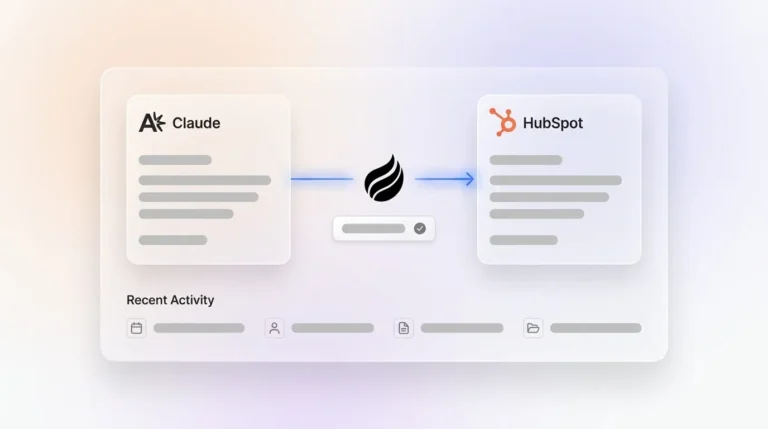
Coffee operates in two distinct models. As a Standalone CRM, it replaces legacy systems entirely for small to mid-sized teams that want a modern, agent-powered system of record. As a Companion App, it deploys the Coffee Agent as an intelligent layer on top of an existing Salesforce or HubSpot instance and handles the “data in” process so the system of record stays accurate without human effort. A simple authentication lets the agent sync data, enrich it, and write insights back to the primary CRM. Teams committed to Salesforce or HubSpot do not need to migrate to benefit from agent-quality data.
What data sources does the Coffee Agent use to populate and enrich CRM records?
The Coffee Agent draws from three primary categories of data. It connects to communication platforms such as Google Workspace or Microsoft 365 for email and calendar activity. It connects to meeting tools such as Zoom, Teams, and Google Meet for call transcripts. It also connects to licensed data partners for enrichment fields such as job titles, funding data, and LinkedIn profiles, which removes the need for separate tools like Apollo or ZoomInfo. A website tracking pixel additionally identifies anonymous visitors and surfaces named prospects with enrichment pre-filled. All data sources feed a built-in data warehouse that preserves historical context instead of overwriting records on update. For a full step-by-step workflow, see the earlier solution section.

How does Coffee handle data security and privacy?
Coffee is SOC 2 Type 2 and GDPR compliant. Customer data does not train public AI models. For teams in regulated-adjacent industries or those with strict data governance requirements, Coffee’s compliance posture covers the baseline expectations of most U.S. tech companies at the 10–50 person stage. Large enterprises in heavily regulated sectors such as healthcare or finance with multi-year security review requirements fall outside Coffee’s current ideal customer profile.
How quickly can a sales team expect to see results after deploying Coffee?
Coffee begins enriching records and logging activity from the moment of authentication, so there is no historical data requirement before the agent delivers value. Reps typically recover the 8–12 hours per week mentioned earlier within the first billing cycle. Pipeline Compare, Coffee’s week-over-week pipeline visualization, becomes available immediately and replaces manual CSV exports and spreadsheet-based pipeline reviews from day one. Teams using the Companion App on Salesforce or HubSpot see CRM data quality improve progressively as the agent fills gaps in existing records and maintains completeness going forward.
Conclusion: Good Data In, Reliable Insights Out
The most effective AI-powered CRM for sales team insights in 2026 is not the one with the most complex forecasting model. The winning system guarantees that the data feeding that model stays complete, current, and structured. Manual entry cannot provide that guarantee, while an autonomous agent can.
Coffee follows this principle. Whether deployed as a standalone system of record for growing sales teams or as a companion agent on top of Salesforce or HubSpot, Coffee’s agent manages data entry, enrichment, meeting capture, and pipeline tracking that legacy CRMs leave to humans. The result is a CRM where good data in produces reliable insights out without adding administrative burden to the people selling.
Get started with Coffee and give your pipeline intelligence a foundation it can actually trust.