Written by: Doug Camplejohn, CEO & Co-Founder, Coffee | Last updated: July 20, 2026
Key Takeaways for Salesforce Integration
- Manual Salesforce CRM integration creates swivel-chair workflows that drain selling time and corrupt forecast data.
- Traditional connectors and iPaaS tools move structured data but cannot capture unstructured inputs like emails or call transcripts.
- AI agent companion layers autonomously capture signals from every channel and write clean, enriched records back to Salesforce without human intervention.
- Companies using AI agents report reduced admin time, higher data quality, improved pipeline visibility, stronger rep adoption, and more accurate forecasting.
- RevOps and sales leaders can get started with Coffee to eliminate manual data entry from their Salesforce stack.
The Problem: Manual Salesforce CRM Integration Breaks Down
The operational cost of manual CRM maintenance keeps rising. Sales reps lose 5.5 hours per week to manual data entry in 2026, up from five hours in 2021 as CRM data requirements have grown more sophisticated. Seventy-nine percent of opportunity data never enters the CRM at all, and of the 21% that does, only 23% is accurate and complete. Pipeline reviews end up built on roughly 4.8% of actual opportunity data.
Data quality compounds the problem. Manual entry accelerates database decay by generating duplicate records at a rate of 10–25% of total entries, which explains why Validity’s research did not report an 18% duplicate rate among records in the average Salesforce org. These duplicates feed a broader accuracy crisis: 76% of CRM users say less than half of their organization’s data is accurate and complete. Poor data quality then makes every future data entry effort less reliable.
The downstream consequences are direct and compounding. Poor data quality blocks AI deployment: 50% of agentic AI adopters cite data quality and retrieval issues as deployment barriers. That same data crisis undermines forecasting accuracy; Gartner found that only 45% of sales leaders and sellers have high confidence in their organization’s forecasting accuracy, with poor data quality as a key cause. Companies then lose revenue as leaders make strategic decisions on incomplete or inaccurate pipeline data.
Native connectors, MuleSoft, and iPaaS tools move structured fields between systems but cannot ingest a call transcript, parse an email thread, or preserve the historical context of a deal stage change. These tools act as pipelines, not agents. They still rely on humans to ensure the right data enters the pipe in the first place.
Given these limitations, teams evaluating Salesforce integration in 2026 need a clear way to compare traditional approaches with emerging AI-native options. The next section outlines how the main patterns stack up on effort, data coverage, and long-term viability.
Comparing Integration Patterns for Salesforce Data Sync
The table below compares four integration approaches across setup complexity, data handling, and 2026 relevance. Use it to match each pattern to your team’s technical resources, data quality needs, and AI roadmap.
| Pattern | Pros | Cons | 2026 Relevance |
|---|---|---|---|
| Native Connectors (e.g., HubSpot–Salesforce) | Low setup cost, supported by vendors, handles contacts, companies, and deals out of the box | Structured fields only, conflict resolution requires manual field-ownership rules per field, no unstructured data capture | Viable for simple, low-volume stacks, insufficient when AI or forecasting accuracy is a priority |
| Middleware / iPaaS (e.g., MuleSoft, Workato) | Flexible, handles complex object mapping, supports bulk processing | Requires 6–12 months to reach feature parity and 1–3 dedicated engineering staff, still relies on humans for data initiation, no unstructured data handling | Appropriate for large enterprises with dedicated integration teams, over-engineered for mid-market |
| Manual / Spreadsheet Sync | Zero licensing cost, full control | Valuable customer data often sits outside the CRM, error-prone, not scalable | No longer viable for any team with forecasting or AI ambitions |
| AI Agent Companion Layer (e.g., Coffee) | Autonomous capture of structured and unstructured data, writes enriched records back to Salesforce, no human data entry required, preserves historical context | Requires authentication to email, calendar, and call systems, newer category with fewer legacy references | Gartner predicts 40% of enterprise apps will embed AI agents by end of 2026, the definitive 2026 best practice for mid-market teams |
The comparison highlights AI agent companion layers as the only pattern that handles unstructured data and historical context while reducing manual work. The next section explains how that model works in practice.
The Solution: AI Agent Companion Apps for Salesforce
An AI agent companion app replaces manual integration work with an autonomous worker that sits on top of Salesforce. It ingests signals from every channel a rep touches, such as email, calendar, video calls, and transcripts, then writes structured, enriched outputs back to the system of record without waiting for a human to start the process.

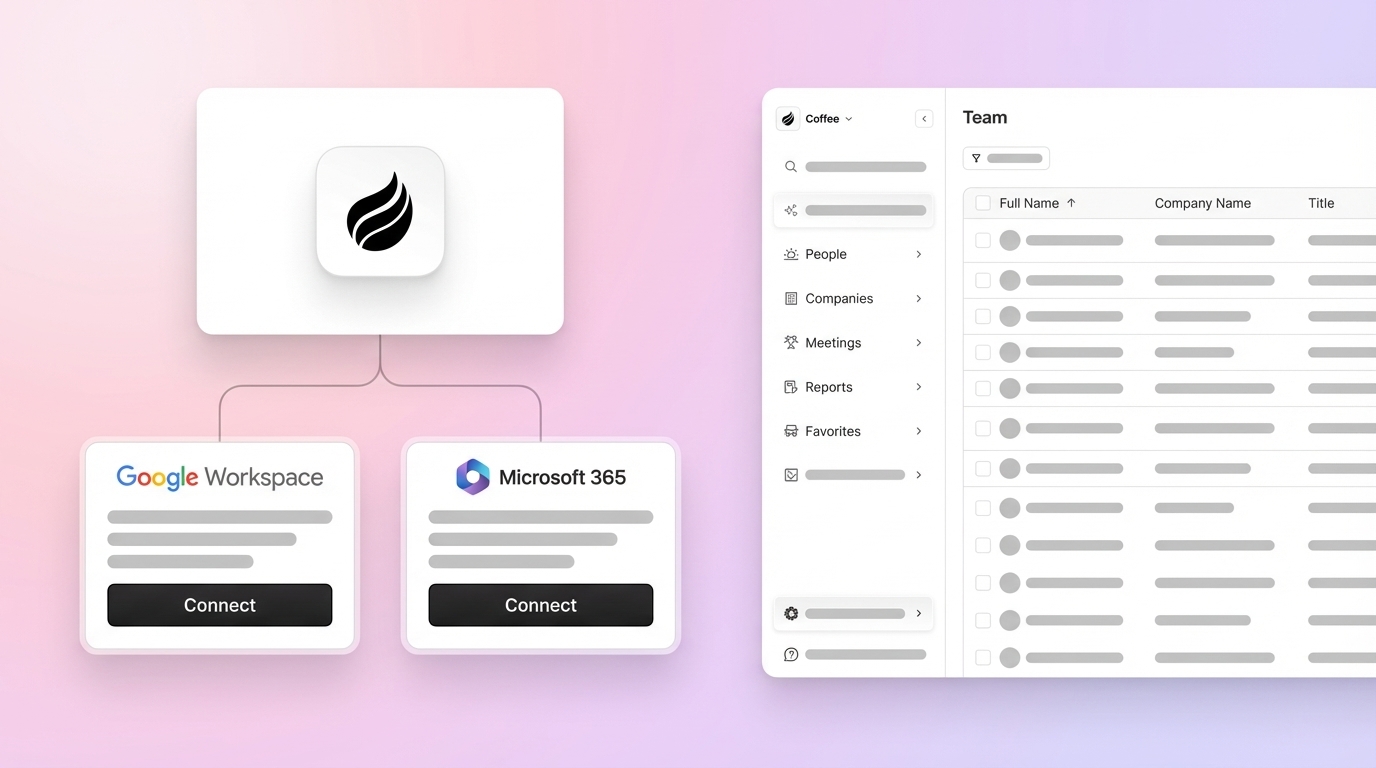
Coffee operates exactly this way. After connecting to Google Workspace or Microsoft 365, the Coffee Agent immediately scans emails and calendar events to auto-create contacts, companies, and activity logs. It joins calls via Zoom, Teams, or Meet to record and transcribe, then generates post-call summaries, next steps, and follow-up drafts. Every output is written back to Salesforce with field-level precision, keeping Salesforce accurate and current.

The workflow is linear and autonomous:
- The agent captures inputs from email, calendar, call transcripts, and web activity.
- It structures, enriches, and deduplicates the data against existing Salesforce records.
- It writes clean, enriched records and activity logs back to Salesforce automatically.
- It surfaces pipeline intelligence, including stage changes, stalled deals, and forecast signals, without manual CSV exports.
CRM-native and companion AI agents eliminate the need for separate sync steps by updating records automatically as part of each task. Each agent action enriches the unified customer record that future agent actions rely on, creating a durable data flywheel.
Key Benefits of AI Agent Salesforce Integration
Reduced Admin Time for Reps
Coffee saves reps 8–12 hours per week by automating contact creation, activity logging, and meeting follow-ups. The average seller currently spends only about 30% of their time selling. Coffee’s time savings exceed the 5.5 hours currently lost to manual CRM entry alone because the agent also automates meeting follow-ups, contact research, and activity summarization that reps usually handle outside the CRM.

Higher Data Quality at the Source
The agent captures data directly from the source, such as the actual email or call, instead of relying on rep recall. Field-level accuracy improves as a result. HubSpot’s 2025 Sales Trends Report does not report any error rate for manual data entry or its effect on pipeline forecasting. Agent-captured data removes that compounding error at the source.
Improved Pipeline Visibility for Leaders
Coffee’s Pipeline Compare feature visualizes week-over-week changes automatically. It highlights progressed deals, stalled opportunities, and new additions so leaders can focus on coaching and strategy. Pipeline reviews shift from interrogation sessions to targeted, data-backed discussions.
Stronger Rep Adoption of Salesforce
Recent market studies show CRM adoption at 67.9% of organizations overall and 91% among companies with 10+ employees. Adoption fails when reps must serve the software instead of the reverse. When the agent handles the busywork, reps use Salesforce because it gives them value through briefings, summaries, and pipeline signals, rather than demanding data entry in return.
More Accurate Forecasting
AI users in sales experienced shorter deal cycles, larger deal sizes, and higher win rates according to ZoomInfo’s State of AI Sales & Marketing 2025 report. Those results depend on clean input data, which the agent provides by keeping opportunity context and activity history complete.
Why AI Agents Outperform Traditional Salesforce Integration in 2026
The benefits above come from a different architecture than traditional connectors or middleware. Understanding why agents outperform older tools requires looking at how they handle context and change history.
Traditional integrations lose historical context as fields update. Legacy Salesforce architectures rely on basic relational databases where, when fields are updated, the historical context is lost. Coffee uses a data warehouse architecture that preserves the full history of every record change. The agent can then surface week-over-week pipeline drift and flag deals that have gone quiet based on real activity patterns.
Sales leaders using AI also report that disconnected systems slow down their AI initiatives. An agent companion layer that writes directly to Salesforce removes this friction by turning Salesforce into a single, continuously updated source of truth for pipeline data.
Rollout Plan and Sync Rules for Salesforce AI Agents
A structured rollout reduces integration failure risk and keeps data clean from day one. CRM project failure rates vary widely across studies, commonly cited between 18% and 70% depending on the year, definition of failure, and methodology, with poor requirements gathering cited as the leading root cause. The following checklist and matrix address the most common failure points.
Phased Rollout Checklist
- Pre-launch audit (Weeks 1–2): Assess current Salesforce data quality. A pre-sync audit should flag missing data above 15%, duplicate records above 5%, and contacts with no activity in 18+ months. Deduplicate before connecting the agent so it starts from a clean baseline.
- Field ownership mapping (Week 2): Assign every synced field to one of three categories: Salesforce-owned, agent-owned, or shared. Document conflict resolution rules per field before enabling any write-back, or the agent and Salesforce will overwrite each other’s updates and create data thrash.
- Sandbox testing (Week 3): Connect the Coffee Agent to a Salesforce sandbox. Validate auto-created contacts, activity logs, and enrichment fields against expected outputs using synthetic records.
- Pilot rollout (Week 4): Enable the agent for one sales pod or business unit. Monitor duplicate creation rate, sync error queue depth, and field parity on critical properties daily.
- Full expansion (Week 5–6): Roll out to the full team. Freeze manual CSV imports. Establish weekly duplicate rate tracking and quarterly field drift audits.
Sync-Rules Matrix for Field Ownership
The matrix below defines which system owns each category of data and how conflicts are resolved when both systems attempt to update the same field. Use this as a template for documenting your own field ownership rules before enabling bidirectional sync.
| Field / Domain | System of Record | Sync Direction | Conflict Rule |
|---|---|---|---|
| Opportunity Stage, Close Date, Revenue | Salesforce | One-way: Salesforce → agent read-only | Salesforce always wins |
| Contact Email, Phone, Title | Shared | Bidirectional | Most-recently-updated wins |
| Activity Logs, Call Summaries, Next Steps | Coffee Agent | One-way: agent → Salesforce write-back | Agent writes, Salesforce stores |
| Enrichment Fields (Funding, LinkedIn, Job Title) | Coffee Agent | One-way: agent → Salesforce write-back | Agent enriches on create, Salesforce field lock after manual edit |
| Account Owner, Routing Fields | Salesforce | One-way: Salesforce → agent read-only | Salesforce always wins, agent never overwrites |
Security and compliance objections are addressed directly. Coffee is SOC 2 Type 2 and GDPR compliant, and data is never used to train public models. A simple authentication connects the agent to Salesforce and Google Workspace or Microsoft 365 with least-privilege scopes and field-level permissions enforced throughout.
Frequently Asked Questions
What is the best way to integrate Salesforce with a sales team CRM?
The best approach in 2026 is an AI agent companion layer that sits on top of Salesforce and autonomously captures, enriches, and logs data from every channel a rep uses, including email, calendar, calls, and transcripts, without requiring manual input. Traditional native connectors and iPaaS middleware move structured fields between systems but cannot handle unstructured data or preserve historical context. An AI agent like Coffee authenticates to your existing tools, writes clean records back to Salesforce automatically, and keeps the system of record accurate without human intervention. Salesforce remains the authoritative source for opportunity stage, revenue, and routing, while the agent handles all data capture and enrichment upstream of those fields.
How do you prevent duplicate records during Salesforce data sync?
Duplicate prevention requires both a technical and a governance approach. On the technical side, use upsert operations with deterministic match keys, such as email plus company domain instead of email alone, so the agent updates existing records rather than creating new ones. On the governance side, run a deduplication audit before enabling any sync, targeting a duplicate rate below 5%. During rollout, monitor duplicate creation rate daily for the first 30 days. Coffee’s agent applies these match rules automatically at the point of contact creation, scanning existing Salesforce records before writing a new one. After the initial cleanup, the agent’s continuous enrichment keeps records current and reduces the data decay that causes duplicates to accumulate over time.
What security considerations apply to AI agent Salesforce integration?
The primary security requirements are least-privilege access, encryption in transit and at rest, and a clear data processing agreement. Coffee is SOC 2 Type 2 and GDPR compliant. The agent connects to Salesforce via a dedicated integration user with access scoped only to the objects and fields it needs to read or write. Data captured from email, calendar, and calls is processed to generate structured CRM records and is not used to train public AI models. Field-level permissions in Salesforce remain in force, so the agent cannot write to fields outside its authorized scope. For teams in regulated industries, Coffee’s compliance posture should be reviewed against specific requirements before deployment.
Is an AI companion app compatible with existing Salesforce custom fields and forecasting?
Yes. Coffee has deep knowledge of Salesforce’s object model, including custom fields, required fields, validation rules, quotas, and forecasting hierarchies, which are areas where newer AI CRM tools frequently fall short. The agent maps its enrichment and activity outputs to the correct standard and custom fields in your Salesforce org during the setup process. As noted earlier, forecasting fields remain owned by Salesforce and are never overwritten by the agent. The agent’s role is to ensure the upstream data feeding those fields, such as contact accuracy, activity history, and deal context, is complete and current, which directly improves forecast reliability without changing the forecast configuration itself.
Conclusion: Make Salesforce the Source of Truth with an AI Agent
Manual Salesforce CRM integration, whether through native connectors, iPaaS middleware, or spreadsheet exports, shares one irreducible flaw: it depends on humans to ensure data quality, and humans reliably prioritize selling over logging. The result is incomplete activity capture, duplicate records, degraded forecasts, and low CRM adoption that compounds over time.
The AI agent companion layer resolves the problem at the source. By autonomously capturing structured and unstructured data from every channel, enriching records against licensed data partners, and writing clean outputs back to Salesforce with field-level precision, the agent makes Salesforce accurate without adding to rep workload. Salesforce remains the authoritative platform for pipeline, forecasting, and reporting. The agent handles everything upstream.
For RevOps and sales leaders at mid-market B2B companies already committed to Salesforce, Coffee is the definitive Salesforce companion app for 2026, providing a reliable path to trustworthy data in and accurate pipeline intelligence out.
Get started with Coffee and make your Salesforce integration work the way it was always supposed to.