Written by: Doug Camplejohn, CEO & Co-Founder, Coffee | Last updated: June 22, 2026
What Sales Teams Should Know Before Replacing Salesforce
- Most 2026 Salesforce alternatives still rely on manual data entry, so reps keep updating records instead of selling.
- Legacy CRMs like Salesforce and HubSpot create high admin overhead and fragmented data, which leads to unreliable forecasts.
- Smaller tools such as Pipedrive, Close, and Attio improve interfaces but still do not capture unstructured data from emails or calls.
- Coffee’s autonomous agent ingests structured and unstructured inputs, writes clean data back to existing systems, and saves reps 8–12 hours per week.
- Teams ready to eliminate manual CRM work can explore Coffee’s pricing options for standalone or companion deployment.
Master Comparison Table for Salesforce Alternatives
| Platform | Data Entry Automation | Implementation Effort | Standalone + Companion | Total Cost of Ownership (1–50 seats) |
|---|---|---|---|---|
| Salesforce Sales Cloud | Manual (Einstein add-on) | High (months) | Standalone only | High, licenses plus admin plus add-ons |
| HubSpot Sales Hub | Partial (Breeze AI add-on) | Medium | Standalone only | Medium to high, scales steeply per seat |
| Pipedrive | Minimal | Low | Standalone only | Low, limited AI depth |
| Zoho CRM | Partial (Zia AI) | Medium | Standalone only | Low, complex module pricing |
| Close | Minimal | Low | Standalone only | Low to medium |
| Attio | Minimal (UI-only improvement) | Low to medium | Standalone only | Medium |
| Clarify / Day.ai | Partial (unstructured data only) | Low | Standalone only | Low, limited integration depth |
| Coffee | Full agent automation | Low (auth plus sync) | Both | Seat-based, unlimited agent labor |
See Coffee’s transparent seat-based pricing, with no complex metering and no per-process fees.
Why Sales Teams Walk Away From Salesforce
Salesforce carries 25 years of architectural decisions made before AI existed. Setup requires dedicated admins, custom object mapping, and months of configuration before a single rep logs a deal. For a team of 10, that overhead is disproportionate long before the product delivers any value.
The daily rep experience compounds the problem. Sales reps spend approximately 70% of their time on non-selling tasks according to Salesforce research, such as entering notes, hunting for decks, and chasing approvals. Within that broader time drain, the average B2B salesperson spends about 11.5 hours per week on CRM data entry, equating to roughly 26% of a workday. Salesforce does not fix this pattern. It institutionalizes it as a permanent tax on selling time.
The pipeline reality follows directly. When reps skip fields or batch-update deals on Friday afternoon, the forecast reflects their memory, not market reality. Passive databases store whatever humans type. They cannot ingest an email thread, a call transcript, or a calendar pattern and turn it into a structured deal update. That architectural gap explains why switching to a cleaner UI such as Attio or Close does not solve the underlying problem. The most common alternative teams consider is HubSpot, which promises easier setup and better usability.
How HubSpot Compares To Salesforce For Sales Teams
HubSpot is frequently positioned as the friendlier alternative. It is easier to configure and ships with marketing automation baked in. For a team already running inbound, that integration has real value. HubSpot was built as a marketing tool first, and the CRM was added later. The data model reflects that origin, so contacts and companies are organized around campaign logic rather than deal velocity.
Administrative burden on HubSpot scales faster than most teams expect. Seat pricing climbs steeply, and AI features like Breeze sit behind higher tiers. Eighty one percent of sales professionals use AI tools at least occasionally, and the rest often copy and paste into ChatGPT. Paying for an AI tier that reps do not adopt becomes a recurring cost with no return.
Integration complexity creates another drag on performance. Both Salesforce and HubSpot require point solutions such as ZoomInfo for enrichment, Gong for call intelligence, and Salesloft for sequencing to approximate what a unified agent handles natively. Sales teams often waste significant time chasing data across disconnected systems. Adding tools to a passive CRM increases cost and fragmentation instead of creating a coherent workflow.
Best Salesforce Alternative For Small Sales Teams
Pipedrive and Close are the most common recommendations for teams under 20 reps. Both are easier to use than Salesforce, and both are priced accessibly. The ceiling is low. Neither platform automates data capture from emails or calls. Reps still log activities manually, and pipeline accuracy still depends on rep discipline. The failure mode matches Salesforce, only at a lower price point.
Attio has attracted attention for its modern data model and flexible views. It functions as a better-designed passive database. The architecture remains relational, still depends on human input, and still cannot process unstructured data like call transcripts into structured deal fields. A cleaner interface does not change what the system fundamentally cannot do.
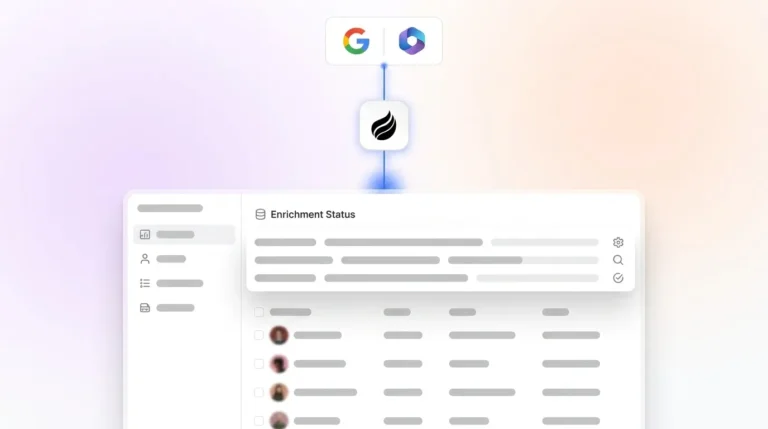
Coffee’s standalone CRM serves teams of 1–20 that have outgrown spreadsheets and Notion but refuse to inherit the manual-entry burden of HubSpot or Pipedrive. The agent connects to Google Workspace or Microsoft 365, auto-creates contacts and companies from emails and calendars, logs activity autonomously, and generates post-call summaries with next steps. The rep reviews, and the agent does the work. Pricing is seat-based with unlimited agent labor included, with no add-ons required for the core automation.

The Agent Advantage For Clean Sales Data
Sales professionals spend substantial time on manual CRM data entry, and many still see it as a key challenge. CRMs now track more data points per interaction, including social signals, buying intent, competitive mentions, and sentiment. As a result, the absolute number of data entry errors has risen even though manual data-entry error rates are typically reported between 1% and 4%.
The unstructured data problem described earlier becomes more severe when AI forecasting layers sit on top of incomplete records. A relational database stores what fits in a field, while an email thread, a call transcript, or a sequence of calendar events contains deal-critical context that no field captures. When that context is lost, the AI forecasting layer built on top of the CRM trains on incomplete data. Lead scoring trained on inaccurate or incomplete data produces inaccurate scores, and forecasting models built on poorly maintained pipeline data produce unreliable forecasts.
Coffee’s agent ingests both structured and unstructured data into a built-in data warehouse that preserves historical context. Because the input is accurate, the output such as pipeline comparisons, forecasts, and deal briefings is reliable. Sellers who effectively partner with AI tools are 3.7x more likely to meet quota than those who do not. That multiplier only applies when the underlying data is clean.

Choosing Between An Agent Layer And A Full CRM Switch
The decision between an agent layer and a full replacement is operational, not ideological. Teams with deep Salesforce configurations, such as custom objects, territory hierarchies, and CPQ integrations, cannot rip and replace without significant disruption. Coffee’s companion model deploys the agent on top of the existing instance through a simple authentication. The agent writes enriched data, call summaries, and activity logs back to Salesforce or HubSpot. The system of record stays intact, and the data quality problem is addressed.

Teams without a CRM commitment, or those actively evaluating their first real CRM, are better served by Coffee’s standalone model. There is no legacy configuration to preserve and no reason to inherit a passive database architecture.
| Scenario | Recommended Deployment |
|---|---|
| 1–20 reps, no current CRM or on spreadsheets | Coffee Standalone |
| 1–50 reps, committed to Salesforce or HubSpot | Coffee Companion |
| Evaluating first CRM, tech-forward team | Coffee Standalone |
| RevOps with low adoption plus bad data in existing CRM | Coffee Companion |
Compare standalone and companion pricing, with the same agent capabilities and the same simple pricing model.
One-Page Summary Matrix For Salesforce Alternatives
| Platform | Agent-Driven Data Entry | Unstructured Data Support | Companion Mode | Rep Time Saved Weekly |
|---|---|---|---|---|
| Salesforce | No | No | No | Minimal |
| HubSpot | Partial (paid tier) | No | No | Low |
| Pipedrive | No | No | No | Minimal |
| Close | No | No | No | Minimal |
| Attio | No | No | No | Minimal |
| Coffee | Yes, full agent | Yes, emails, calls, calendars | Yes | 8–12 hours |
Frequently Asked Questions
How long does it take to implement Coffee?
Setup for the standalone CRM is quick. Connecting Google Workspace or Microsoft 365 triggers the agent immediately, and it begins creating contacts, logging activity, and populating company records without manual configuration. For the companion deployment on Salesforce or HubSpot, implementation uses a simple authentication that allows the agent to read from and write back to the existing instance. There is no months-long onboarding, no admin consultant required, and no custom object mapping to complete before the agent starts working.
Does switching to Coffee mean migrating all existing CRM data?
Full migration is optional. Teams using Coffee as a companion layer keep Salesforce or HubSpot as the system of record, and the agent enriches and updates that existing data without requiring a migration. Teams moving to Coffee’s standalone CRM can import existing contact and company records, and the agent immediately begins enriching and maintaining them going forward. The decision to migrate historical data is optional rather than a prerequisite for the agent to deliver value from day one.
Is Coffee secure and compliant?
Coffee is SOC 2 Type 2 certified and GDPR compliant. Data processed by the agent is not used to train public AI models. For teams in lightly regulated industries evaluating a modern CRM, this coverage meets standard compliance requirements. Coffee is not currently designed for heavily regulated environments such as healthcare or enterprise finance that require multi-year security reviews or custom data residency arrangements.
How does Coffee’s pricing compare to Salesforce and HubSpot?
Coffee uses seat-based pricing where the agent’s labor, including data entry, enrichment, meeting summaries, and pipeline tracking, is included at no additional cost per process or per AI interaction. Salesforce and HubSpot both charge separately for AI features, enrichment integrations, and advanced forecasting modules. For a team of 10–50 reps, the total cost of ownership on legacy platforms typically includes the base license plus admin overhead plus point-solution subscriptions for enrichment, call recording, and forecasting. Coffee consolidates those functions into a single seat price with no metering on agent usage.
Conclusion: Why Coffee Solves The CRM Data Problem
Most lists of Salesforce alternatives point to the same passive databases with better pricing or cleaner interfaces. None of them fix the root problem, because reps remain the data entry layer, and bad data in still means bad forecasts out. Coffee’s agent handles the input so the output stays accurate, whether deployed as a standalone CRM for small teams or as a companion layer on top of an existing Salesforce or HubSpot instance. The 8–12 hours reclaimed per rep weekly reflects the impact of removing humans from a job they were never supposed to do. Review Coffee plans and put the agent to work for your team.