Written by: Doug Camplejohn, CEO & Co-Founder, Coffee
Key Takeaways
- Most CRM data lakes handle structured records well but leave unstructured artifacts like call transcripts, emails, and PDFs unlinked and ungoverned in object storage.
- A complete reference architecture requires six layers. In order: CDC capture, raw landing in S3/ADLS, Medallion lakehouse tiers, identity resolution via crosswalk tables, vector or hybrid search, and RAG consumption.
- Identity resolution through a Silver-layer crosswalk table is the critical missing piece that links unstructured files to CRM entities using stable surrogate keys.
- A minimal viable metadata schema (artifact_id, source_system, crm_entity_id, storage_uri, and related fields) enables governance and joins while keeping documents out of CRM tables.
- Coffee automatically captures and links emails, call transcripts, and CRM records into one governed view. That eliminates the manual engineering work of the unstructured-data-in problem.
- The metastore and catalog choice sets your governance and lock-in tradeoffs, while the table format underneath it controls schema evolution for unstructured metadata.
- Schema-on-read keeps full document context available for RAG by enforcing schema on metadata while storing raw text as a pointer, not a flattened column.
What Unstructured Data in a CRM Data Lake Actually Means
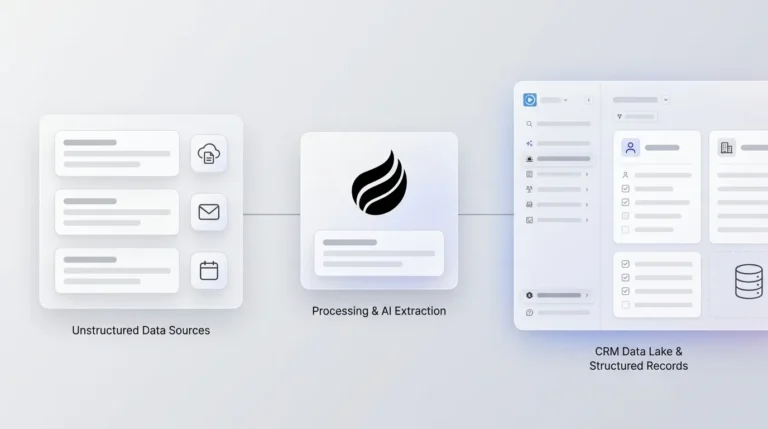
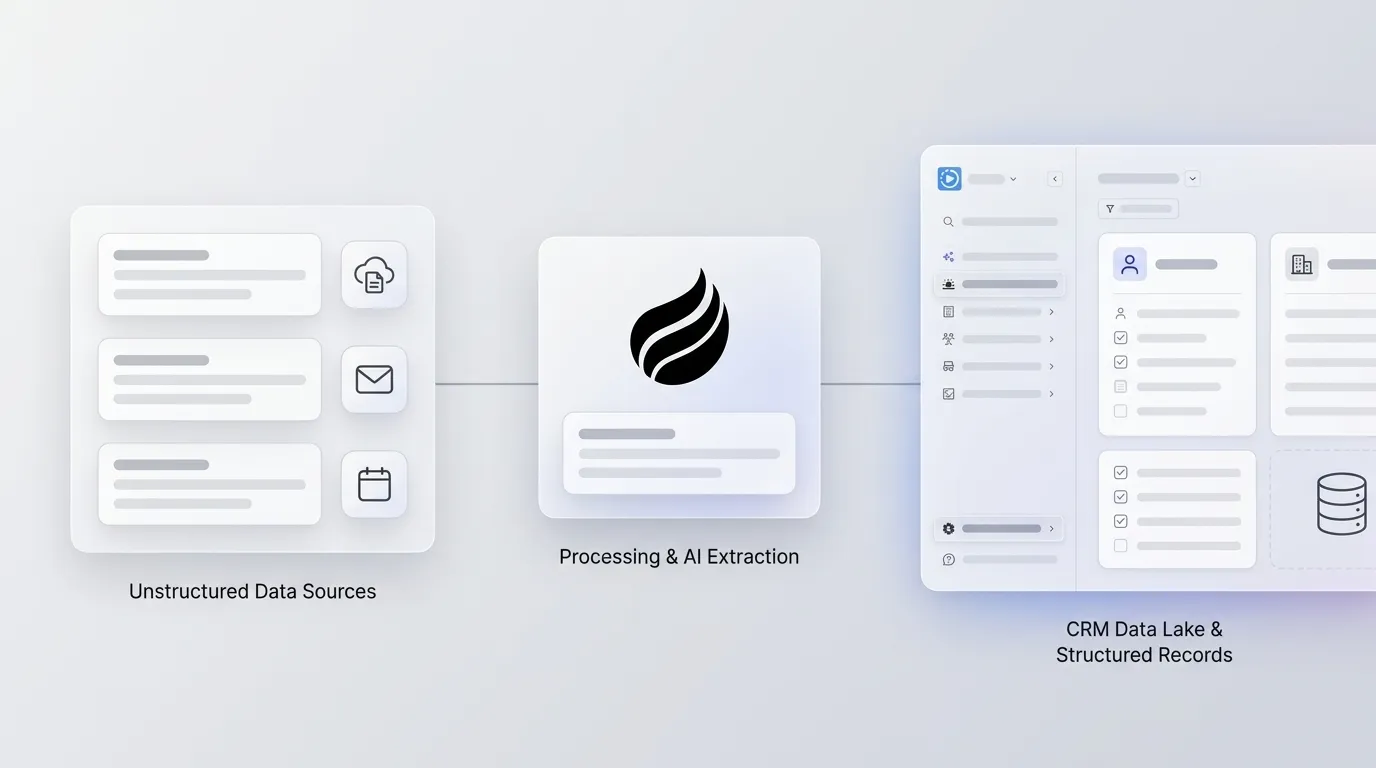
A CRM data lake with unstructured data support lands raw CRM-adjacent artifacts such as call transcripts, email bodies, chat logs, and PDFs in object storage alongside structured CRM records. Metadata and identity resolution link these artifacts to CRM entities instead of flattening them into CRM tables. The raw asset stays intact while you extract only the fields required for structured analytics.
Structured vs. Semi-Structured vs. Unstructured Data in a CRM Context
Three distinct data types coexist in a CRM data lake, and each one needs a different architecture.
- Structured data includes Account, Contact, and Opportunity fields with defined schemas, loaded via CDC or bulk export into columnar formats.
- Semi-structured data includes JSON API payloads and CDC events. JSON is semi-structured, not unstructured, because it carries a parseable schema even when that schema varies by record.
- Unstructured data includes call transcripts, email bodies, chat logs, and PDFs. These artifacts have no inherent schema, and forcing them into CRM table columns strips away the context that AI retrieval depends on.
The architecture decisions for each type diverge at the metadata layer. The rest of this guide focuses on the unstructured tier.
Unstructured CRM Data Lake Architecture Best Practices
The end-to-end architecture for unstructured CRM data runs through six layers. The guiding principle across all of them is the “don't-flatten” approach, where you keep the raw asset in object storage and extract only the fields required for structured analytics.
- CRM source with CDC and API payload capture. Salesforce and HubSpot expose change data capture streams and REST APIs. Structured field changes travel as CDC events in semi-structured JSON. Unstructured artifacts such as email bodies and attached PDFs are captured separately and routed to object storage rather than written into CRM columns.
- Raw landing zone in Amazon S3, Azure ADLS, or Google Cloud Storage. More than a million data lakes run on Amazon S3, and it remains the dominant raw landing target. Files land immutably with no transformation at this layer. The landing zone is append-only.
- Lakehouse Bronze, Silver, and Gold layers using Delta Lake, Apache Iceberg, or Apache Hudi. The Medallion architecture organizes data into three progressive quality layers. Bronze holds raw, untouched, immutable data exactly as it landed. Silver holds cleaned, validated, and enriched data. Gold holds business-ready aggregates and models for analytics and AI. For unstructured artifacts, Bronze stores the raw file reference and captured metadata. Silver attaches the resolved CRM entity ID via the crosswalk table. Gold exposes the artifact for BI joins and AI retrieval.
- Identity resolution linking artifacts to Customer, Account, Contact, and Opportunity entities. This is the layer most architectures skip. Without a stable join key, a transcript cannot be reliably linked to an Opportunity. Identity resolution is covered in detail in the next section.
- Vector and hybrid search. Hybrid retrieval adoption is accelerating (see the vector and RAG section below). The Gold layer needs a parallel preparation path dedicated to AI retrieval, with chunking, embedding, and indexing that runs separately from the BI reporting path.
- AI and RAG consumption. Agents and LLMs query the retrieval layer, not raw storage. Salesforce's architectural rule for Data 360 is to expose Data Graphs and DMOs to the AI layer, never raw Data Lake Objects. Passing raw database objects to an LLM strips away join logic, metric definitions, and business rules, which increases the likelihood of hallucinations.
Salesforce's Data 360 is a concrete example of how a major platform implements these six layers for unstructured data.
Platform Callout: Salesforce Data Cloud
Salesforce Data 360 ingests unstructured files into Unstructured Data Lake Objects (UDLOs) from sources including Amazon S3, Google Cloud Storage, Azure Blob Store, SharePoint, Zendesk, and Google Drive. Each ingested file produces three outputs: extracted metadata, vector embeddings, and chunked content for retrieval. Extracted unstructured content maps into an Unstructured Data Model Object (UDMO), while metadata artifacts such as file name, file size, and type map as structured data into the same DMO framework. Connecting the UDMO and DMO via foreign keys produces a unified semantic graph that gives AI agents multimodal context for RAG-driven interactions. Salesforce Data Cloud's unstructured data connectors include Google Drive (Beta), SharePoint (Beta), Web Content (Crawler), Web Content (Sitemap), and Zendesk unstructured data (Beta), with S3 and GCS supported through the Data 360 ingestion path.
How to Link Unstructured CRM Data to Structured Records with Identity Resolution
Identity resolution closes the biggest gap in most published CRM data lake architectures. Without it, a call transcript is an orphaned file. With it, the transcript becomes a joinable artifact linked to an Opportunity, a Contact, and an Account.
The recommended pattern is a crosswalk, or key map, table built in the Silver or Conformed zone. The crosswalk maps (source_system, source_key) pairs to a stable enterprise surrogate key, such as mapping a Gong recording ID and a Salesforce Contact ID to a single customer_sk. Deterministic hash surrogate keys, such as xxhash64 or sha2 over the business key, are preferred over identity columns because they are reproducible and avoid concurrency problems on reloads.
Consider a concrete example. A Gong-style transcript is keyed to an Opportunity ID via a stable contact identifier such as a hashed email or CRM Contact ID. The crosswalk table holds the mapping. The transcript file stays in S3, and only the surrogate key and metadata travel into the Silver layer. The raw asset is never duplicated.
Matching strategy matters. Deterministic matching links records using exact, verified identifiers such as a SHA-256 hashed email, phone number, or login token, merging with near-100% confidence but limited by a coverage ceiling; probabilistic matching uses statistical inference to expand coverage at the cost of higher false positive rates. Production systems run deterministic logic first, then apply probabilistic logic to the residual unmatched population.
One freshness gap deserves explicit attention. A new phone number arriving through the CRM at 10:03 may not appear in a warehouse-loaded profile until the load at 10:30 and the entity model at 10:50. That delay is harmless for monthly reporting but unacceptable for a live interaction. For near-real-time use cases, a dedicated operational identity engine running beside the lakehouse closes this gap.
For a deeper treatment of integration patterns that feed this layer, see CRM Data Lake Integration: Batch vs CDC vs Federation.
A Metadata Schema for Unstructured CRM Artifacts
The metadata schema makes an unstructured artifact both joinable and governable while still following the don't-flatten principle. Most ranking articles on this topic skip a concrete starting schema. The following fields cover the minimum viable set for a CRM data lake.
- artifact_id is a stable UUID generated at ingestion and used as the primary key across all downstream references.
- source_system captures the originating platform, such as Gong, Zoom, Gmail, or Salesforce Files.
- source_object_type records the CRM entity type the artifact relates to, such as Contact, Account, or Opportunity.
- crm_entity_id stores the resolved surrogate key from the crosswalk table, linking the artifact to its CRM entity.
- captured_at records the ISO 8601 timestamp of when the artifact was captured at the source.
- file_format holds the MIME type or format descriptor, such as audio/mp4, text/plain, or application/pdf.
- storage_uri stores the fully qualified path to the raw file in object storage, such as s3://, abfss://, or gs://.
- transcript_text_uri points to the extracted plain-text version, when applicable, stored separately from the raw audio or video.
- participants[] is an array of participant identifiers, such as email addresses or CRM Contact IDs, present in the artifact.
- sentiment is an optional extracted sentiment score or label, populated by a downstream enrichment job.
- retention_class is a governance label that drives retention policy, such as standard-7yr or gdpr-erasable.
This schema enables a SQL join between a transcript and an Opportunity without moving the file. The raw asset stays in object storage, and the metadata row travels through the Medallion layers.
Choosing a Metastore and Catalog for Unstructured CRM Data
The forum question “how do you manage unstructured data in a data lakehouse with an open source metastore?” reflects a real gap, because most metastore comparisons cover tabular data only. The four options below are evaluated specifically for unstructured CRM artifacts. The table shows how governance depth and vendor lock-in move in opposite directions, with the strongest file-level governance tied to the most tightly coupled platforms and the most portable option offering the least native governance for raw files.
| Metastore / Catalog | Governance for Unstructured Files | Multi-Engine Support | Vendor Lock-In |
|---|---|---|---|
| Apache Iceberg (REST Catalog) | No native file-level governance; unstructured files are referenced as URIs in metadata, not governed objects. Data is stored in open file formats (Parquet, ORC, Avro) and the Iceberg REST Catalog provides a standardized API for table discovery. | Highest. It is supported by every major cloud provider and data platform vendor, with AWS offering native Iceberg support across services including Amazon EMR, Amazon Redshift, and Amazon Managed Service for Apache Flink. | Lowest, because it is open source, vendor-neutral, and avoids proprietary lock-in. |
| Unity Catalog (Databricks) | Strongest for unstructured files. Unity Catalog provides governed volumes for non-tabular files, the FILE type as a first-class value in tables, row filters on FILE columns, and content search over indexed volumes. The ai_parse_document function extracts structured content from governed documents. | Moderate, because it is optimized for Databricks and external engine access to volumes requires additional configuration. | High, since it is tightly coupled to the Databricks platform and its managed storage model. |
| AWS Glue Data Catalog | Oriented to tabular technical metadata. Metadata objects are defined as tables, table versions, partitions, partition indexes, statistics, databases, or catalogs, not arbitrary unstructured objects such as PDFs or email bodies. Lake Formation provides fine-grained permissions at the database, table, column, row, and cell level, but these controls apply to tabular objects, not raw files. | High within AWS. It is queryable from Amazon Redshift, Athena, EMR, and SageMaker Lakehouse. Support is limited outside AWS. | High, because it is deeply integrated with the AWS service mesh and migration requires re-cataloging. |
| Hive Metastore | Weakest for unstructured objects. It is designed for Hive-partitioned tabular data and has no native concept of file-level governance, row filters on file references, or content search. | Broad legacy support across Spark, Hive, Presto, and Trino, but usage is declining as Iceberg REST Catalog adoption grows. | Low, since it is open source, but it carries the most operational overhead and the least governance capability for unstructured data. |
Recommendation: For teams whose primary workload runs on Databricks, Unity Catalog is the decisive choice for unstructured CRM data governance. For multi-engine environments where portability matters more than file-level governance, Apache Iceberg with a REST Catalog minimizes lock-in. AWS Glue Data Catalog fits teams already deep in the AWS analytics stack who govern tabular Iceberg tables and use Lake Formation for permissions. Hive Metastore should not be chosen for new unstructured data workloads.
Whichever catalog you choose, the table format underneath it determines how schema changes are handled, and that choice directly affects whether your RAG pipeline can preserve full document context.
Schema-on-Read vs. Schema-on-Write for CRM Data
The three major open table formats handle schema differently, and that choice has direct consequences for RAG pipelines that depend on preserving full document context.
Delta Lake enforces schema on write by default: if incoming data does not match the target table schema, Delta rejects the write rather than silently changing the table. The mergeSchema option supports only additive changes, adding columns present in the source but not the target, and does not remove existing columns or change existing column types.
Iceberg manages schema and partition changes through metadata rather than data rewrites, with column IDs enabling safe add, drop, rename, and retype operations without reprocessing existing files. This design makes Iceberg a flexible choice for evolving metadata schemas attached to unstructured artifacts.
For RAG use cases, schema-on-read preserves the most context. The raw asset retains its full text, and the schema is applied at query time. Structured metadata fields such as artifact_id, crm_entity_id, and sentiment are written with schema enforcement, while the raw text URI is stored as a pointer that is never flattened.
See Building a CRM Data Lake: A Practitioner's Build Guide for implementation detail on Medallion layer design with these formats.
Vector and Hybrid Search for RAG Enablement
Enterprise intent to adopt hybrid retrieval tripled from 10.3% to 33.3% in a single quarter in Q1 2026 VentureBeat Pulse data, and hybrid retrieval now represents the emerging enterprise consensus architecture because it combines dense embeddings with sparse keyword search and reranking layers.
Three AWS-native vector options cover the primary architecture patterns for CRM data lakes.
- Amazon OpenSearch Service combines lexical, vector, hybrid, and agentic search in one system. It is the default choice when no single latency or cost requirement dominates and supports multi-billion vector volumes and thousands of queries per second.
- Amazon S3 Vectors is the first cloud object store with native support to store and query vectors, reducing the cost of uploading, storing, and querying vectors by up to 90 percent compared to specialized vector databases. It suits persistent vector storage in cold and warm tiers.
- pgvector on Amazon Aurora PostgreSQL combines vector search with the full SQL query surface, including joins, aggregations, WHERE clauses, and ACID transactions, in a single engine. It is the right choice when vector search must coexist with structured CRM joins in the same query.
The Gold layer may need a parallel preparation path dedicated to AI retrieval rather than BI reporting alone, which gives the retrieval pipeline its own chunking, embedding, and indexing jobs that run independently of the reporting pipeline.
Governance and Historical Preservation
Governance for unstructured CRM artifacts requires versioning, auditing, and time travel at both the file and metadata layers.
Iceberg's immutable snapshots preserve a complete history of table states, enabling queries of the exact state of a table at any prior point for audit trails, historical analysis, and reproducible analytics. Delta Lake's transaction log records every version of the table, enabling historical queries and time travel over prior table states. Hudi supports time travel by querying a table as of a past instant, which is useful for reproducing reports or debugging bad loads.
This connects directly to the don't-flatten principle. When a Salesforce Opportunity field is updated, the previous value is overwritten in the CRM, while the raw call transcript that captured the original commitment remains unchanged. That is why keeping unstructured artifacts raw in object storage, linked by metadata, preserves historical context that CRM field updates permanently destroy. That preserved context is what makes RAG pipelines accurate rather than hallucinatory.
For a full treatment of CRM data lake architecture including structured and semi-structured layers, see CRM Data Lake Architecture: Salesforce & Data 360.
The Fastest Path: Let Coffee Handle the Unstructured-Data-In Problem
Building the architecture described above requires significant engineering investment. You need CDC pipelines to capture changes, crosswalk tables to resolve identity, a metadata schema to make artifacts joinable, a metastore to govern them, and a parallel AI retrieval path to serve RAG. For teams at 50 to 500 employees who need the outcome without the build, Coffee's agent handles the unstructured-data-in problem natively.
Coffee automatically captures emails, call transcripts, and CRM records, both structured and unstructured, into one coherent view backed by a built-in data warehouse that preserves history. The agent logs every interaction, links it to the right Contact, Account, and Opportunity, and makes that context available for pipeline intelligence and AI-driven insights without manual data entry.
Coffee operates in two models. The Standalone AI-First CRM serves small to mid-sized businesses. The Companion App deploys the agent on top of existing Salesforce or HubSpot instances via simple authentication. Both models are SOC 2 Type 2 and GDPR compliant, and Coffee does not use customer data to train public models.
Frequently Asked Questions
Does Coffee Integrate with My Existing CRM and Tools?
Coffee currently integrates with external tools via Zapier, with deeper roadmap integrations coming soon. The Companion App connects directly to Salesforce and HubSpot via simple authentication, allowing the Coffee agent to sync data, enrich records, and write insights back to the primary CRM. Google Workspace and Microsoft 365 connections enable automatic contact creation and activity logging from day one.
Is My Unstructured Customer Data Secure?
Coffee is SOC 2 Type 2 and GDPR compliant. Customer data, including call transcripts, email bodies, and other unstructured artifacts captured by the agent, is not used to train public models. For teams in regulated industries, Coffee is designed for small to mid-market companies, and organizations in healthcare or financial services requiring multi-year security reviews fall outside the current target profile.
Is Coffee's Data Quality as Good as ZoomInfo?
The Coffee agent provides enrichment data roughly on par with ZoomInfo for most use cases, built directly into the platform. This removes the need for a separate enrichment subscription. The agent augments records with job titles, funding data, and LinkedIn profiles via licensed data partners, and the Lead Finder feature builds targeted prospect lists from Coffee's own database using natural language queries, covering the prospecting and enrichment workflows that ZoomInfo and Apollo.io handle as standalone tools.
Who Is Coffee Built For?
Coffee serves two primary profiles. The Standalone AI-First CRM targets small companies, typically one to twenty employees with nascent sales teams, that have outgrown spreadsheets but find legacy CRMs like HubSpot or Pipedrive expensive and maintenance-heavy. The Companion App targets small to mid-market companies already committed to Salesforce or HubSpot that need better data quality, higher CRM adoption, and AI-driven pipeline intelligence without replacing their existing system of record. Coffee does not target large enterprises with complex custom workflows, heavily regulated industries requiring multi-year security reviews, or buyers looking for a static feature-checklist database.
What Makes Coffee Different from Other AI-First CRMs?
Newer AI CRM alternatives like Day.ai and Clarify often lack a deep understanding of how sophisticated and complicated Salesforce and HubSpot integrations are, including quotas, forecasting, and required fields. Coffee is built with that integration depth as a foundation. It is also the only solution in its category that works with both structured and unstructured data on a built-in data warehouse, which means history is preserved and pipeline intelligence is derived from ground-truth data rather than manually entered records.
Conclusion: Keep The Raw Asset, Extract Only What You Need
The core problem with unstructured CRM data in a data lake is linkage and governance, not storage. Call transcripts, email bodies, and PDFs already sit in object storage at most organizations. What they lack is a metadata schema that makes them joinable, an identity resolution layer that links them to CRM entities, a metastore that governs them alongside structured tables, and a retrieval path that makes them usable by AI without hallucination.
The reference architecture in this guide addresses each of those gaps. Raw assets stay intact in S3 or ADLS. A crosswalk table resolves identity to persistent surrogate keys. A concrete metadata schema makes artifacts governable while still following the don't-flatten principle. Unity Catalog or Iceberg governs the catalog layer, and a parallel Gold path feeds hybrid vector search for RAG. The architecture that preserves context is straightforward, but it requires deliberate choices at every layer.
For teams that want the outcome without the build, Coffee's agent handles the unstructured-data-in problem natively. It captures emails, transcripts, and CRM records into one governed, history-preserving view with SOC 2 Type 2 and GDPR compliance built in.