
Written by: Doug Camplejohn, CEO & Co-Founder, Coffee | Last updated: July 4, 2026
Key Takeaways for Busy Sales Leaders
- Sales reps at 10–50 person B2B companies lose most of their week to manual CRM updates and data entry. Salesforce research shows only 40% of time goes to actual selling.
- Most AI sales assistants focus on outbound prospecting, call intelligence, or native CRM automation. They still rely on human review and manual logging.
- Coffee works as an autonomous agent that captures emails, calls, and calendar events, then writes clean, structured data back to Salesforce or HubSpot without rep involvement.
- Teams using Coffee recover 8–12 hours per week, gain reliable pipeline forecasts, and benefit from deep bidirectional CRM integration that supports custom and forecasting fields.
- Sales teams that want fewer tools and cleaner data can centralize capture and logging with Coffee.
How We Evaluated AI Sales Assistants
Data-capture automation: We looked at whether each tool logs emails, calls, and calendar events without rep action. B2B CRM contact data decays at a baseline rate of 22.5–30% per year due to natural changes such as job switches, and manual logging cannot keep pipeline data accurate.
Time saved per rep: We focused on weekly hours returned to sellers, since a 2026 Gartner survey found AI tools save sellers an average of 4.8 hours per week, which serves as a baseline rather than a target.
CRM integration depth: We distinguished between read-only enrichment and full bidirectional write-back to Salesforce or HubSpot, including custom fields, required fields, and forecasting objects.
Structured-plus-unstructured data handling: We checked whether each tool processes both relational CRM fields and free-form inputs like call transcripts, email threads, and meeting notes.
Pipeline intelligence quality: We evaluated the accuracy of forecasts and deal-health signals derived from captured data instead of manual rep input.
Pricing simplicity: We favored clear seat-based models over usage-metered pricing, since hidden LLM or process fees erode ROI for small teams.
Security and compliance: We verified SOC 2 Type 2, GDPR, and data-training policies relevant to B2B customer data.
Side-by-Side Comparison of Leading Tools
| Tool | Documented Time Savings | Data-Entry Elimination | Salesforce / HubSpot Companion Support | Best-Fit Buyer Size |
|---|---|---|---|---|
| Coffee | 8–12 hrs/week (Coffee) | Full autonomous capture: email, calendar, calls, enrichment | Yes, deep bidirectional write-back including custom fields, forecasting, required fields; also standalone CRM | 1–50 employees |
| Gong | Call analysis and deal risk signals, time savings not independently quantified per week | Call/email analysis only, does not write structured field values to CRM autonomously | Integration available, read-heavy, limited autonomous field writes | 50–500+ employees |
| Apollo.io | Top-of-funnel enrichment and sequencing, post-call admin not addressed | Prospecting and outreach only, no CRM data-entry elimination | CRM sync available, not a companion agent | 10–200 employees |
| Sybill | 4–6 hrs/week on CRM updates via CRM Autofill | Post-call CRM autofill, follow-up drafts, pre-meeting briefs | Salesforce, HubSpot, Zoho, Dynamics 365 companion layer | 10–100 employees |
| HubSpot Breeze AI | Included in Sales Hub Pro/Enterprise, no add-on cost for existing customers | Suggests updates, reps must review and accept each suggestion | Native to HubSpot only | 10–200 employees on HubSpot |
| Salesforce Agentforce | Free Foundations tier: 200K Flex Credits, 1,000 conversations | Native automation within Salesforce, requires Salesforce infrastructure | Native to Salesforce only | 50–500+ employees on Salesforce |
| Clay | Integration-layer stacks with Clay typically cost $1,700–$5,000/month and require ongoing sync maintenance | Enrichment and sequencing, no autonomous CRM write-back | Requires custom sync and field-mapping maintenance | 20–100 employees with dedicated RevOps |
Outbound Prospecting Tools for Top-of-Funnel Work
Apollo.io and Clay dominate the outbound prospecting category for 10–50 person teams. Apollo provides contact and company data alongside sequencing, while Clay enables enrichment workflows across dozens of data sources. Both tools handle the top of funnel effectively.
The limitation for small B2B teams is structural. Prospecting platforms like Apollo.io and Clay focus on lead enrichment and outreach at the top of funnel and do not address post-meeting data entry, CRM record accuracy, or pipeline intelligence downstream. A rep using Apollo still manually logs calls, updates deal stages, and writes meeting notes. Integration-layer stacks such as Clay plus a sequencer typically cost $1,700–$5,000 per month at the Growth tier and require ongoing maintenance of syncs, mappings, and dedupe rules, which strains teams without dedicated RevOps headcount.
Teams that want prospecting capability without a separate stack can use Coffee’s List Builder. It accepts natural-language queries such as “Find me VPs of Sales in North America at companies with $10M+ funding using Salesforce,” then runs the workflow through integrated enrichment and removes the need for a standalone prospecting tool.

Call Intelligence Tools for Conversation Analysis
Call intelligence platforms focus on what happens during and after sales conversations rather than at the top of funnel. Gong is the category leader in conversation intelligence. Gong analyzes calls, emails, and CRM activity using models trained on billions of recorded sales interactions to surface deal risk signals, forecast accuracy indicators, and coaching insights. Wingman by Clari adds real-time battlecard surfacing during live calls.
The gap relevant to 10–50 person teams is CRM write-back. Conversation intelligence tools such as Gong or Chorus analyze calls but do not write structured values to CRM fields or trigger downstream workflows. A rep still exits a Gong-analyzed call and manually updates the opportunity stage, BANT fields, and next steps in Salesforce or HubSpot. The intelligence appears in dashboards, while the data entry remains human. Gong’s pricing and feature depth also target larger organizations, which makes it a difficult fit for sub-50-person teams without enterprise budgets.
CRM Automation Tools That Keep Humans in the Loop
Native CRM AI such as Salesforce Einstein and HubSpot Breeze offers the lowest switching cost for teams already on those platforms. HubSpot Breeze Prospecting Agent is included in Sales Hub Professional and Enterprise with no add-on cost. Salesforce Einstein delivers more than 80 billion AI-powered predictions every day, which gives existing Salesforce customers easy access to AI features.
Both platforms share a critical limitation: they suggest updates rather than executing them. HubSpot Breeze AI’s Smart Deal Progression suggests CRM updates that reps must review and accept, which preserves the human-in-the-loop bottleneck that causes data decay. For teams whose core problem is rep non-compliance with data entry, a tool that asks reps to approve each update does not solve the adoption problem.
Autonomous Data Unification With Coffee
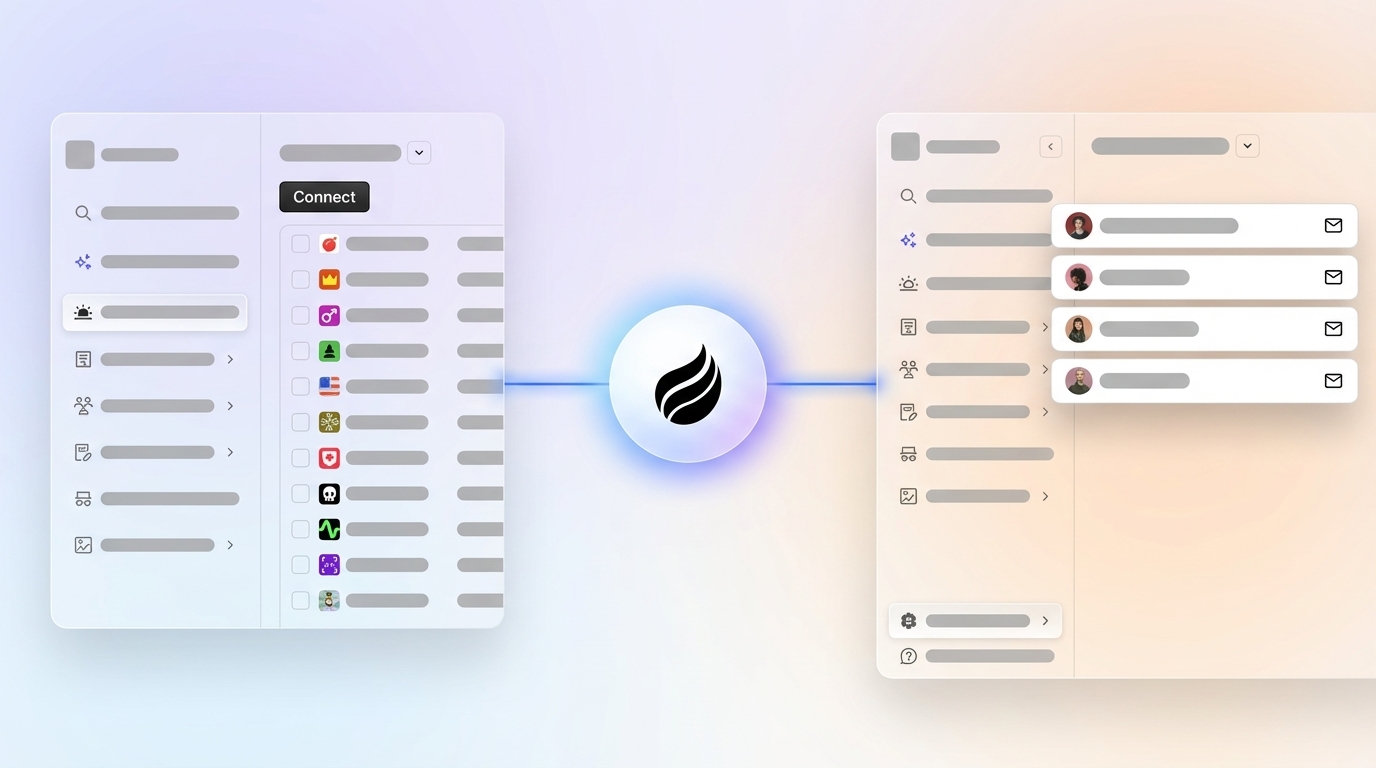
Autonomous data unification fills the gap left by prospecting, call intelligence, and native CRM tools. This category centers on an agent that captures structured and unstructured data across every channel and writes clean, complete records back to the CRM without any rep action.
By 2026, sales representatives spend 5.5 hours per week on manual CRM data entry. Coffee’s autonomous agent addresses this directly by connecting to Google Workspace or Microsoft 365 and scanning emails and calendars to auto-create contacts, companies, and activities with zero rep input.
Coffee saves reps 8–12 hours per week by handling data entry, meeting briefings, call recording, post-call summaries, follow-up drafts, and pipeline tracking as a single agent. Coffee’s AI search on deals, released in January 2026, answers natural-language questions such as “Which deals are stuck in negotiation?” or “What’s closing this month?”. Sales leaders get pipeline intelligence without manual querying or CSV exports.

The unstructured data gap exposes the limits of legacy architectures. Salesforce and HubSpot rely on relational databases that lose historical context when fields are updated. Coffee runs on a data warehouse that retains full interaction history, including emails, transcripts, and calendar events, and applies NLP to extract structured insights from unstructured inputs. Coffee’s improved summary templates, released in November 2025, are customizable to match workflows and write back to Coffee, HubSpot, or Salesforce, which makes the agent effective as both a standalone CRM and a companion layer.

Best-Fit Use Cases by Company Size and Stack
1–20 employees, no existing CRM: Coffee’s Standalone AI-First CRM fits directly. Teams that have outgrown spreadsheets or Notion but view HubSpot or Pipedrive as expensive manual chores get a fully automated system of record where the agent manages data quality from day one.
10–50 employees on Salesforce or HubSpot: Coffee’s Companion App deploys the agent as an intelligent layer on top of the existing CRM. The agent handles data-in, auto-creating contacts, logging activities, enriching records, and writing call summaries back to the correct fields, while Salesforce or HubSpot remains the system of record. Unlike newer alternatives such as Day.ai or Clarify, Coffee has deep knowledge of Salesforce’s quotas, forecasting objects, and required fields, and HubSpot’s deal pipeline architecture, which prevents the integration failures that lighter-weight tools face.
Teams with website traffic but no lead identification: Coffee’s Visitor Identification feature turns anonymous traffic into named prospects with enriched profiles, LinkedIn links, and Suggested Leads matched to the buyer persona. This closes the loop from pixel hit to outbound action without a separate tool like RB2B or Warmly.

Security, Integrations, and Pricing Details
Coffee is SOC 2 Type 2 and GDPR compliant. Customer data does not train public models, which addresses a primary security objection from B2B buyers handling sensitive pipeline information. ZoomInfo maintains SOC 2 Type II, GDPR, and CCPA compliance as a benchmark, and Coffee meets the same standard.
Current integrations beyond Salesforce and HubSpot run through Zapier, with deeper native integrations on the roadmap. Coffee’s Stripe integration, launched in January 2026, automatically imports customers and companies, enriches them, and adds paid invoices to deals as Closed Won. This shows the agent’s ability to unify commercial data streams without manual reconciliation.
Pricing follows a seat-based model. Teams pay for human seats, and the agent’s unlimited labor is included. There is no metering on LLM usage or automated processes, which keeps cost predictable for small teams comparing total cost of ownership against fragmented stacks.
Risks and Limitations to Consider
Coffee does not fit every buyer profile. Large enterprises with complex, custom Salesforce workflows built over years or multi-region HubSpot instances with bespoke objects will find Coffee’s current feature set too limited for their infrastructure requirements. Heavily regulated industries such as healthcare and financial services that require multi-year security reviews and custom data residency agreements also sit outside Coffee’s current ICP.
Buyers evaluating Coffee as a Salesforce or HubSpot companion should note that third-party integrations beyond those two CRMs currently route through Zapier rather than native connectors. Teams with complex multi-tool stacks that require real-time bidirectional sync across five or more platforms may encounter workflow gaps during the Zapier-mediated integration phase.
MIT Sloan research from 2025 found that implementing an AI agent in a production environment required 80% of effort on data engineering, stakeholder alignment, governance, and workflow integration, not on the AI itself. Buyers should plan for a structured onboarding period and clean existing CRM data before activating the agent to avoid compounding existing data quality problems.
Decision Framework: Matching Tools to Your Situation
| Company Size | Current CRM | Primary Pain Point | Recommended Solution |
|---|---|---|---|
| 1–20 employees | Spreadsheets / Notion / None | No CRM or manual CRM is a chore | Coffee Standalone CRM |
| 10–50 employees | Salesforce | Low adoption, missing call/email data, bad forecasts | Coffee Companion App for Salesforce |
| 10–50 employees | HubSpot | Reps not logging activity, pipeline data unreliable | Coffee Companion App for HubSpot |
| 10–50 employees | Any | Top-of-funnel prospecting only, no post-call admin problem | Apollo.io or Clay (prospecting layer) |
| 50–500 employees | Salesforce | Call coaching and rep performance at scale | Gong + Salesforce Einstein |
| 50–500 employees | HubSpot | Native AI at no add-on cost | HubSpot Breeze AI (with rep-review workflow) |
Frequently Asked Questions
How long does Coffee implementation take?
For the Standalone CRM, most teams become operational within a single session. The agent connects to Google Workspace or Microsoft 365 via authentication and begins scanning emails and calendars to populate contacts, companies, and activities. Teams do not need manual data migration to start capturing new interactions. For the Companion App on Salesforce or HubSpot, a simple authentication allows the Coffee Agent to begin syncing and enriching data. Teams with clean existing CRM data can expect the agent to write summaries and enrich records within the first day. Teams with significant data quality issues in their existing CRM should clean core objects such as contacts, accounts, and open opportunities before activating the agent.
How does Coffee’s data quality compare with ZoomInfo?
Coffee’s enrichment data, including job titles, funding information, and LinkedIn profiles, is roughly on par with ZoomInfo for most B2B use cases and is included in the seat-based price. ZoomInfo’s core advantage is the breadth of its contact database, with over 500 million business contacts and more than 1 billion continuously updated buying signals, which makes it the stronger choice for teams running high-volume outbound prospecting at scale. For 10–50 person teams whose primary problem is CRM data quality and pipeline accuracy rather than raw contact volume, Coffee’s built-in enrichment removes the need for a separate ZoomInfo subscription and simplifies the stack.
What is the migration effort from Salesforce or HubSpot to Coffee’s Standalone CRM?
Teams moving from Salesforce or HubSpot to Coffee’s Standalone CRM can export their existing contacts, companies, and deal records and import them into Coffee. Because Coffee runs on a data warehouse rather than a relational database, it retains full historical context on imported records instead of overwriting fields. The more common path for teams already on Salesforce or HubSpot is augmentation rather than migration. These teams deploy Coffee as a Companion App that writes clean data into the existing CRM, which preserves the system of record while removing the manual data entry burden. This approach avoids migration risk and delivers the agent’s value without disrupting current workflows, reporting, or integrations.
How does the Coffee Agent structure notes according to BANT, MEDDIC, or SPICED?
After each recorded call, the Coffee Agent generates a structured summary and can format its output according to BANT (Budget, Authority, Need, Timeline), MEDDIC (Metrics, Economic Buyer, Decision Criteria, Decision Process, Identify Pain, Champion), or SPICED (Situation, Pain, Impact, Critical Event, Decision) frameworks. The agent extracts relevant signals such as budget mentions, stakeholder roles, stated pain points, and timeline language directly from the call transcript using NLP, then maps them to the correct framework fields and writes the structured output back to the CRM record. This keeps qualification data consistent across every rep and every call and replaces the memory-based logging that degrades pipeline accuracy in most teams.
Conclusion: Why Coffee Stands Out
For Heads of Sales and RevOps at 10–50 person B2B companies, the core problem is not a lack of AI tools. The real issue is the lack of tools that actually remove data entry work instead of adding another interface for reps. Roughly 90-95% of B2B sales teams now use AI in some form, yet fewer than half fully utilize the tools to boost sales performance, largely because point solutions create new workflows without removing old ones.
Coffee is the only solution in this comparison that operates as a true autonomous agent across the full data lifecycle. It captures structured and unstructured data from email, calendar, calls, and enrichment sources and writes clean records back to Salesforce or HubSpot without rep action. It also functions as both a standalone CRM for early-stage teams and a companion layer for teams already invested in Salesforce or HubSpot, with integration depth that supports custom fields, required fields, and forecasting objects.
The result is the time savings mentioned earlier, with hours returned to selling rather than admin work, plus pipeline data that reflects reality rather than rep memory and forecasts built on complete information instead of partial inputs.
Start a Coffee trial and see autonomous data capture in your own sales process.


