Written by: Doug Camplejohn, CEO & Co-Founder, Coffee | Last updated: August 12, 2026
Why Automated Contact Management Matters in 2026
- Automated contact management uses AI agents to capture, enrich, and maintain CRM data from emails, calendars, and calls without manual entry.
- Small sales teams lose significant time and revenue to manual CRM updates, and data quality degrades rapidly as team size grows.
- AI agents eliminate hours of data entry per rep each week while delivering higher pipeline accuracy than traditional HubSpot or Salesforce workflows.
- Coffee outperforms legacy CRMs by offering autonomous capture, meeting management, and visitor identification as a standalone CRM or companion layer.
- Teams ready to reclaim hours and improve data quality can get started with Coffee today.
Automated Contact Management for Small B2B Sales Teams
Sales reps often spend five or more hours per week on manual CRM data entry. For a 10-person team, that translates to roughly 55 hours per week consumed by admin at an annualized cost of approximately $100,000. Small SaaS sales teams, typically 10 to 30 people, absorb this cost disproportionately because there is no dedicated CRM operations staff to compensate for rep negligence.
CRM data quality degrades as team size grows with errors compounding across stage definitions and field meanings, and the system feels shaky at around 40 seats while structural decay becomes acute around 80 to 100 seats. Teams in the 10–30 person range sit at the inflection point where automated contact management delivers the highest return before problems scale.
The solutions that serve this segment fall into two categories. Some are standalone AI-first CRMs that replace legacy platforms entirely. Others are companion agents that layer automation on top of an existing HubSpot or Salesforce instance. The right choice depends on whether the team is committed to its current system of record. To understand why that choice matters, it helps to see how agent-driven systems remove manual work at the infrastructure level.
See how Coffee eliminates manual CRM work for teams at your scale.
How AI Agents Eliminate CRM Data Entry
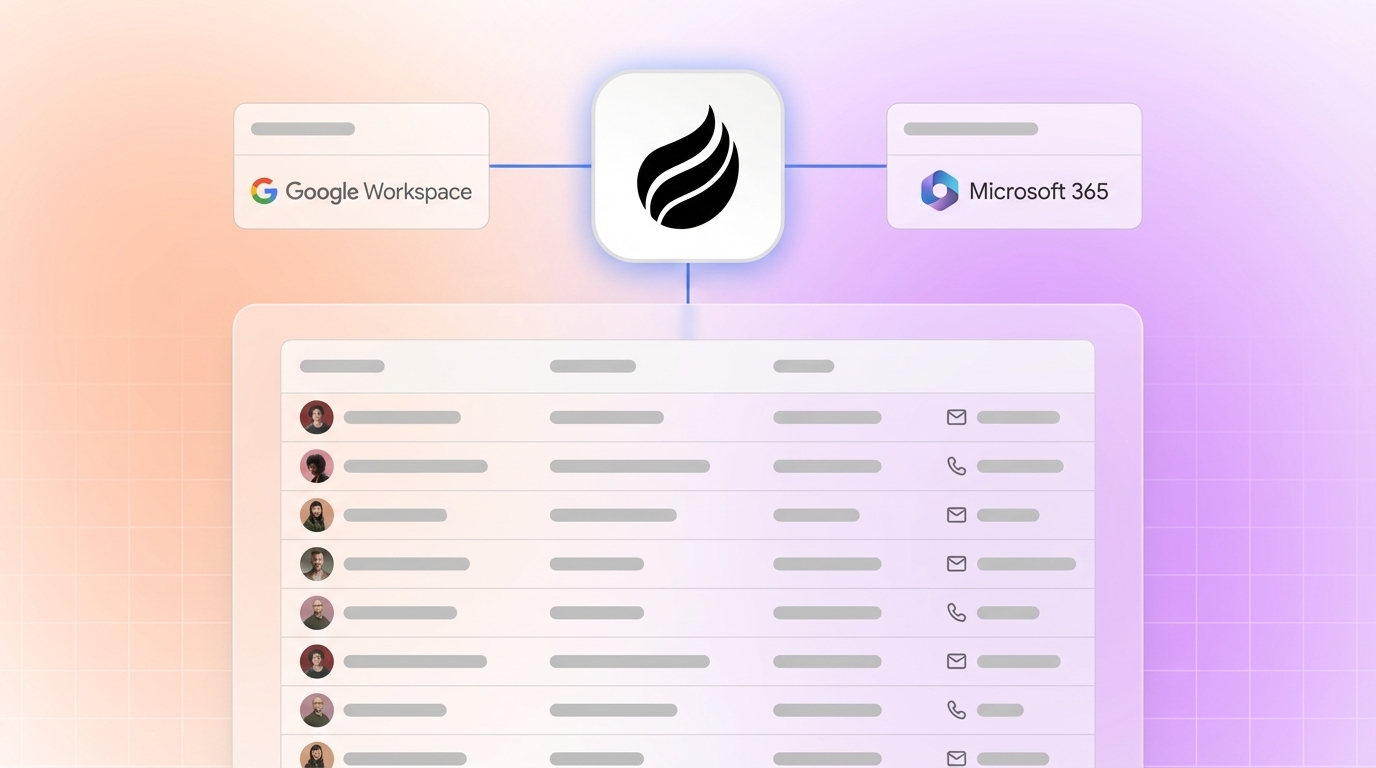
Agent-driven systems replace the human data-entry step by connecting directly to communication infrastructure. After authenticating with Google Workspace or Microsoft 365, a CRM agent scans emails and calendar events to auto-create contacts, companies, and activity logs. It joins video calls to record and transcribe, then generates summaries, next steps, and follow-up drafts after each meeting. Customers using automated capture report saving several hours per person each week.

Enrichment runs in parallel. In Cleanlist’s 500-lead test, waterfall enrichment achieved 98% verified email accuracy (85% phone) versus 70-80% email for single-source tools such as Apollo and ZoomInfo used alone. Agent-driven platforms apply this logic at the moment of record creation rather than in a periodic batch, which protects routing accuracy and speed-to-lead.
Reps with fully automated activity logging reclaim those hours for selling activities. Teams with automated activity logging report 37–53% higher CRM data accuracy (85–95% vs. 62%) than teams relying on manual entry. Companies that extend automation across lead management, pipeline tracking, and activity logging see higher win rates than teams that keep these processes manual.
Where HubSpot Automation Falls Short
Sales teams lose several hours per rep per week to manual CRM updates alone. HubSpot’s workflow automation can trigger field updates and task creation based on predefined rules, but it cannot autonomously capture unstructured data from call transcripts, infer deal stage from email sentiment, or write enriched records without a human initiating the process. Legacy CRMs frequently become data graveyards filled with incomplete or outdated records, commonly 30% inaccurate, because the friction of manual updates is too high for outbound sales workflows.
AI sales assistants layered on traditional CRM databases remain limited because they are only as useful as the incomplete underlying data, functioning as an interface layer rather than solving the core lack of data from human entry. HubSpot’s AI Breeze features follow this pattern. They surface insights from whatever data exists, but they do not eliminate the human obligation to put that data in.
Side-by-Side Comparison: Coffee vs. HubSpot vs. Salesforce
The table below scores each platform across five evaluation criteria using 2026 metrics. Scores reflect agent-driven automation depth, not feature count, and they highlight that Coffee delivers autonomous capture and meeting management while HubSpot and Salesforce still depend on ongoing human input across every category.
| Criteria | HubSpot | Salesforce | Coffee |
|---|---|---|---|
| Automatic contact capture (no human input) | Partial, requires rep-initiated logging, workflow rules can update fields but cannot create records from email or calendar autonomously | Partial, Einstein Activity Capture syncs emails and events but does not auto-create enriched contact records without configuration | Full, agent auto-creates contacts, companies, and activities from Google Workspace or Microsoft 365 on connection |
| Hours saved per rep per week | Up to 4 hours recovered when workflow automation is fully configured | Reps spend a significant portion of their workweek on CRM data entry and deal management | 8–12 hours per rep per week saved through full agent automation of data entry, enrichment, and meeting management |
| Pipeline accuracy (data quality) | 76% of organizations report less than half their CRM data is accurate, and HubSpot’s passive model does not resolve this structurally | Even after six-month hygiene workshops and gamified data quality scores, accuracy improves for only about three weeks before dropping back to prior levels | 85–95% accuracy via autonomous capture, compared with the 62% manual baseline cited earlier, with the agent capturing ground-truth data from emails, calls, and calendars |
| Meeting management automation | Meeting scheduling via Meetings tool, no autonomous pre-meeting briefing or post-call summary generation natively | Einstein Conversation Insights transcribes calls but requires Salesforce Sales Cloud with additional licensing, no autonomous briefing agent | Agent joins calls, generates briefings, produces BANT, MEDDIC, or SPICED-structured summaries, and drafts follow-up emails autonomously |
| Standalone vs. companion flexibility | Standalone CRM only, no agent layer deployable on top of a competing system of record | Standalone CRM only, companion integrations require expensive middleware and custom development | Available as standalone CRM or as companion agent on top of existing HubSpot or Salesforce instances through simple authentication |
Category-by-Category Analysis of Coffee
Data Capture
Legacy CRM platforms operate on batch processing and manual data entry rather than continuous, real-time ingestion, with updates occurring only when sales reps log activities, overnight imports run, or scheduled integration pushes execute. This delay keeps pipeline data stale and forces leaders to forecast from yesterday’s reality instead of the current state of deals. Coffee’s agent operates continuously, scanning communication infrastructure and writing structured records in real time. Every email thread, calendar invite, and call transcript is processed without rep intervention.
Meeting Management
Coffee’s agent functions as a pre- and post-meeting executive assistant. Before a call, it surfaces a briefing on attendees, their roles, and prior interaction history. After the call, it generates a structured summary aligned to the team’s chosen sales methodology, such as BANT, MEDDIC, or SPICED, and drafts a follow-up email in Gmail for the rep to review and send. HubSpot and Salesforce require third-party tools such as Gong or Fathom to replicate this workflow, which adds cost and integration complexity.

Pipeline Visibility
Stale deals, forgotten follow-ups, and inaccurate stage data cost sales teams between 10–25% of winnable revenue. Coffee’s Pipeline Compare feature visualizes week-over-week changes, including progressed deals, stalled opportunities, and new additions, without CSV exports or manual review preparation. Because the agent captures history in a built-in data warehouse, the output reflects reality instead of aspiration.
Visitor Identification
Coffee converts anonymous website traffic into named prospects through a single tracking pixel. Competitors such as RB2B and Warmly surface company-level data or undifferentiated people lists. Coffee’s Suggested Leads feature instead uses the team’s buyer persona to recommend the two or three specific individuals inside a visiting company most worth contacting, with LinkedIn profiles surfaced for immediate outbound action.

Pricing Transparency
Coffee uses seat-based pricing. The agent’s labor, including data capture, enrichment, meeting management, pipeline tracking, visitor identification, lead finding, and campaign execution, is included without usage metering on LLM calls or processes. Traditional per-seat SaaS pricing models such as Salesforce face pressure in 2026 as AI agents act as users, pushing vendors toward usage-based and consumption-based pricing that increases cost variability for small and mid-size teams. Coffee’s model avoids this variability. With the feature and pricing landscape clear, the next step is choosing the deployment model that fits your current CRM commitment.
Best-Fit Use Cases for Coffee
Standalone CRM for Early-Stage Teams (1–20 Employees)
Teams that have outgrown spreadsheets or Notion but find HubSpot and Pipedrive to be expensive manual chores are the primary fit for Coffee’s standalone CRM. The agent manages the system of record from day one, so there is no legacy data-entry habit to break. Founders and early sales hires receive automated contact creation, enriched records, meeting management, and pipeline visibility without hiring a RevOps function.
Companion App for Teams on Salesforce or HubSpot
Teams with established Salesforce or HubSpot instances, including quota structures, forecasting hierarchies, required fields, and territory assignments, can deploy Coffee as a companion agent through simple authentication. The agent handles the data-in process, writing enriched contacts, activity logs, and meeting summaries back to the primary CRM. This approach resolves low adoption and poor data quality without a platform migration. Coffee’s deep understanding of Salesforce and HubSpot integration complexity, including quotas, forecasting, and required fields, distinguishes it from newer alternatives such as Day.ai and Clarify that lack this integration depth.
Explore Coffee’s standalone and companion plans to find the right fit for your CRM commitment.
Operational Considerations for Agent-Driven CRMs
Deploying an agent-driven contact management system requires attention to four operational areas, and each one supports a different stage of adoption.
- Change management: Reps accustomed to manual logging must understand that the agent handles data entry. The primary behavioral shift is trusting the system instead of duplicating effort by entering data manually after the agent has already captured it, and this shift forms the foundation for successful adoption.
- Training: Once reps trust the agent, Coffee’s onboarding focuses on connecting communication infrastructure, such as Google Workspace or Microsoft 365, and configuring the buyer persona for visitor identification and lead finder. Teams skip data-entry training because data entry no longer exists as a task.
- Data-hygiene ownership: Even after six-month CRM hygiene workshops, data quality improves for only about three weeks before dropping back to prior levels when humans remain the data layer. With an agent handling capture, hygiene ownership shifts to reviewing agent output rather than generating it, which creates a much lower cognitive burden and makes sustained quality realistic.
- Scalability: The global population of actively deployed AI agents is projected to surpass 1 billion by 2029, a 40× increase over 2025 levels. Agent-driven architectures scale with team growth without proportional increases in administrative overhead, so teams avoid the entropy that undermines manually maintained CRMs as headcount rises.
Risks and Limitations of Coffee
- Integration gaps: Coffee currently connects to third-party tools through Zapier, with deeper native integrations on the roadmap. Teams with complex, custom-built integration stacks should audit compatibility before committing.
- Hidden maintenance in legacy companions: Deploying Coffee as a companion on Salesforce or HubSpot eliminates the data-entry burden but does not remove the underlying platform’s administrative overhead. Field configuration, permission management, and workflow maintenance remain the team’s responsibility within the primary CRM.
- Feature-checklist misconception: AI layered onto legacy manual CRM systems generates insights without the ability to trigger or carry out actions on its own, leaving the underlying system fragmentation unchanged. Buyers who evaluate platforms on feature count rather than automation depth underestimate the ongoing human cost of passive systems.
- Regulated industries: Coffee is SOC 2 Type 2 and GDPR compliant, and data is not used to train public models. Organizations in healthcare or finance that require multi-year security reviews or custom data residency arrangements are not the primary fit.
Decision-Framework Checklist for Choosing Coffee
Use the following criteria to match your constraints to the appropriate solution and decide whether Coffee fits your team.
- Does your team spend more than 5 hours per rep per week on CRM updates? If yes, a passive CRM is costing you recoverable revenue capacity, and agent-driven automation provides the structural fix.
- Are you starting fresh or committed to an existing CRM? Starting fresh points toward Coffee standalone. Commitment to Salesforce or HubSpot points toward Coffee as a companion.
- Is your pipeline data trusted for forecasting? 76% of organizations report less than half their CRM data is accurate and complete. If forecasts rely on manually entered data, the agent-driven model offers the only structural remedy.
- Do you need visitor identification and outbound prospecting in the same system? Coffee’s Visitor ID, Lead Finder, and Campaigns features close the loop from anonymous traffic to enrolled outreach sequence without leaving the agent.
- Is your team 10–30 people? Implementing agent-driven capture now prevents the compounding data decay described earlier and keeps the CRM reliable as headcount grows.
Frequently Asked Questions
How long does it take to implement Coffee?
For the standalone CRM, setup involves connecting Google Workspace or Microsoft 365 and configuring the buyer persona for visitor identification and lead finding. The agent begins auto-creating contacts and logging activities immediately after authentication. Most teams are operational within a single business day. For the companion app deployment on Salesforce or HubSpot, implementation uses a simple authentication flow that allows the Coffee agent to read from and write back to the existing system of record. No data migration is required because Coffee enriches and augments the existing instance rather than replacing it.
How difficult is migrating from HubSpot or Salesforce to Coffee’s standalone CRM?
Coffee’s standalone CRM suits teams that have outgrown spreadsheets or want to replace a legacy platform. Because the agent auto-creates and enriches records from live communication data, the migration emphasis stays on connecting current data streams instead of importing historical records field by field. Teams that need historical deal and contact data preserved can import existing records, and the agent then takes over ongoing capture and enrichment from the migration date forward. Coffee’s familiarity with HubSpot and Salesforce data structures means the import process respects those platforms’ field and object models.
Is Coffee secure and compliant?
Coffee is SOC 2 Type 2 certified and GDPR compliant. Data processed by the Coffee agent is not used to train public AI models. For most U.S. SaaS companies in the 10–30 person range, this compliance posture is sufficient. Organizations in heavily regulated industries such as healthcare or financial services that require multi-year security reviews, custom data residency arrangements, or HIPAA Business Associate Agreements should confirm that Coffee’s current compliance scope meets their specific requirements before committing.
How does Coffee’s built-in enrichment compare to dedicated databases like ZoomInfo or Apollo?
Coffee’s enrichment data, sourced via licensed data partners, is roughly on par with ZoomInfo and Apollo for most use cases at the 10–30 person SaaS company scale. The practical advantage is consolidation. Enrichment runs automatically at the moment of record creation, inside the same system that captures activity, manages meetings, identifies website visitors, and runs outreach campaigns. Teams using ZoomInfo or Apollo as standalone subscriptions pay a separate license, manage a separate login, and perform manual list exports between tools. Coffee removes that overhead by building enrichment into the agent’s standard workflow.
Can Coffee’s agent work alongside tools already in the stack?
Coffee currently integrates with third-party tools through Zapier, covering the majority of common SaaS stack connections. Deeper native integrations are on the product roadmap. For teams using Coffee as a companion on Salesforce or HubSpot, the agent authenticates directly with the primary CRM and writes enriched data back to it, so the existing stack, including any tools already connected to Salesforce or HubSpot, continues to function as before while operating on cleaner data.
Conclusion: Choosing Structural Automation Over Manual CRMs
For small sales teams, the real decision no longer sits between HubSpot and Salesforce. The decision sits between systems that perpetuate the manual-entry burden and systems that eliminate it structurally. Legacy passive CRMs rely on humans as the data layer, which keeps admin work high and data quality low.
Coffee replaces that dependency with autonomous capture, enrichment, and maintenance across contact management, meetings, pipeline visibility, and visitor identification. Its dual deployment model, standalone or companion, lets teams adopt agent-driven automation regardless of their current CRM commitment and reclaim the hours currently lost to admin work while fixing data quality at the source.