Written by: Doug Camplejohn, CEO & Co-Founder, Coffee | Last updated: July 9, 2026
Key Takeaways for Choosing an AI Note Tool
- Top AI sales note tools must excel at CRM sync quality, action-item accuracy, and fast follow-up email drafting to create real pipeline impact.
- Bi-directional CRM integration and data hygiene are critical, as poor data quality blocks 53% of agentic AI adoption according to IBM research.
- Bot fatigue creates major friction for prospects, and Coffee is the only evaluated tool with a documented bot-free desktop recording option that still feeds the full agent workflow.
- Teams gain the most value from tools that support structured methodologies like BANT and MEDDIC while providing pipeline visibility beyond individual transcripts.
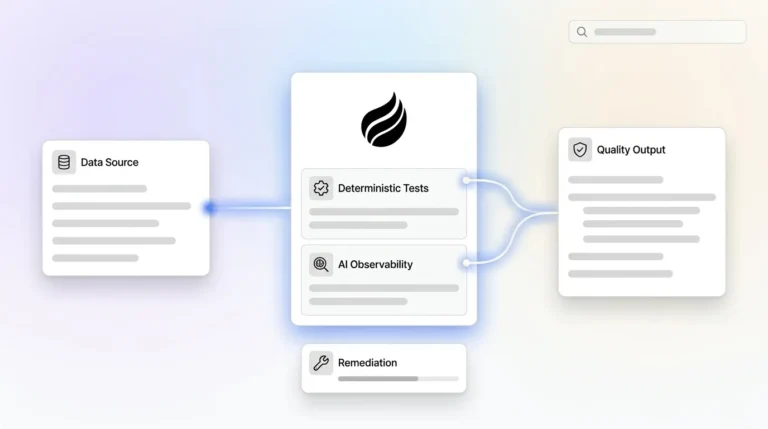
- Coffee closes the data-in/data-out loop by capturing every interaction and writing structured insights back to your CRM—see pricing and plans to get started.
Evaluation Criteria for AI Sales Note Automation
Seven practical criteria separate tools that move pipeline from tools that only generate transcripts. Use these to score vendors before you commit budget or change rep workflows.
- CRM sync quality and data hygiene. IBM’s State of Salesforce 2025–2026 report found that 53% cite poor data availability and quality as the leading adoption barrier for agentic AI, with most AI initiatives missing ROI expectations due to stale or duplicated CRM records. Sync must be bi-directional, field-accurate, and resilient to schema changes.
- Action-item and objection capture accuracy. Success criteria must include action-item accuracy without manual editing and time saved per meeting versus the current workflow. Tools that miss key objections or owners create more cleanup work than they remove.
- Follow-up email drafting speed. The tool should generate a ready-to-send draft from the transcript, with deal-specific context, instead of a generic template that requires heavy rewriting.
- Bot versus no-bot workflow friction. Forum complaints about meeting bots are widespread, and tools that offer a desktop recorder or native calendar integration reduce friction for prospects who reject bot participants.
- Pricing versus hours saved per rep. Manual CRM data entry costs sales teams 5.5 hours weekly per rep in 2026. A tool’s seat cost must be weighed against that recoverable time and the opportunity cost of lost selling hours.
- Support for structured methodologies. Leading AI sales coaching tools can score recorded calls against methodologies such as MEDDIC, MEDDPICC, and BANT by analyzing actual conversation content rather than relying on rep self-reports. Tools that cannot structure outputs to a chosen methodology produce notes that are hard to act on at the manager level.
- Long-term pipeline visibility. When AI works with bad CRM data it produces confidently wrong outputs at scale, including inaccurate forecasts, mis-routed leads, and flawed rep scorecards. The tool must contribute to a trustworthy pipeline view over time, not just capture individual meetings.
Head-to-Head Comparison Table
The table below compares five tools across three of the most differentiating criteria: CRM sync quality, methodology support, and bot-free recording options. These three dimensions separate full CRM agents from point-solution transcribers. The remaining criteria—action-item accuracy, follow-up email speed, pricing, and pipeline visibility—appear in the narrative sections that follow, where they receive more nuance than a table cell can provide.
| Tool | CRM Sync Quality | Methodology Support (BANT/MEDDIC/SPICED) | Bot-Free Recording Option |
|---|---|---|---|
| Coffee | Bi-directional, writes summaries back to Salesforce, HubSpot, or standalone CRM | BANT, MEDDIC, SPICED via custom summary templates | Yes, desktop app for macOS, Windows, Linux launched January 2026 |
| Fireflies.ai | Logs action items and contact notes to Salesforce, HubSpot, or Slack | Partial, keyword-based trackers with no native methodology scoring | No, bot joins call and no documented bot-free mode |
| Gong | Updates relevant CRM fields in Salesforce or HubSpot and flags deal risks from conversation patterns | Manually configured scorecards, not auto-extracted from transcript | No, bot-dependent recording model |
| Avoma | CRM logging with deal coaching and call analytics for 15+ person sales orgs | Automatic BANT, MEDDPICC, SPICED scorecards on higher pricing tiers | No, bot-dependent recording model |
| Fathom | Partial, exports summaries with limited native CRM write-back depth | No native methodology structuring | No, bot joins call |
Pricing and hours-saved metrics vary by contract size and rep usage patterns and do not map cleanly to a single score. The sections below explain those tradeoffs by team stage and primary constraint.
Compare Coffee’s pricing across Companion App and Standalone CRM options.
Setup and Onboarding Effort Across Tools
Coffee connects to Google Workspace or Microsoft 365 via OAuth and immediately begins auto-creating contacts, companies, and activity logs. The Salesforce and HubSpot Companion App requires a simple authentication to begin syncing data and writing insights back to the primary CRM. Gong and Avoma usually require IT involvement for SSO, call recording consent configuration, and CRM field mapping, which often extends onboarding to several weeks for mid-market teams.
Data Capture and Ongoing Maintenance
Tools that integrate natively with CRM and require minimal behavior change show faster returns. Coffee’s agent captures structured data such as contacts, companies, and deal stages alongside unstructured data like email text and call transcripts. It stores both in a built-in data warehouse that preserves historical context. Legacy note-takers capture only the transcript and rely on reps to reconcile the output with CRM fields, a step that reintroduces the weekly time drain mentioned earlier when skipped or done inconsistently.

Frontline Rep Experience and Adoption
AI meeting tools only save time when reps actually use them. Coffee surfaces a “Today” page with meeting briefings, attendee context, and past deal history before each call. This reduces pre-call prep time and increases adoption because the tool delivers value before the meeting starts, not only after it ends.

Manager Visibility and Pipeline Insight
Coffee’s AI search on deals, released in January 2026, answers natural-language questions such as “Which deals are stuck in negotiation?” or “What is closing this month?” The Pipeline Compare feature visualizes week-over-week changes automatically and replaces manual CSV exports. Gong provides comparable deal-risk flagging but at a significantly higher price point and without the standalone CRM option that smaller teams may prefer.
Integration Complexity and Existing Stack Fit
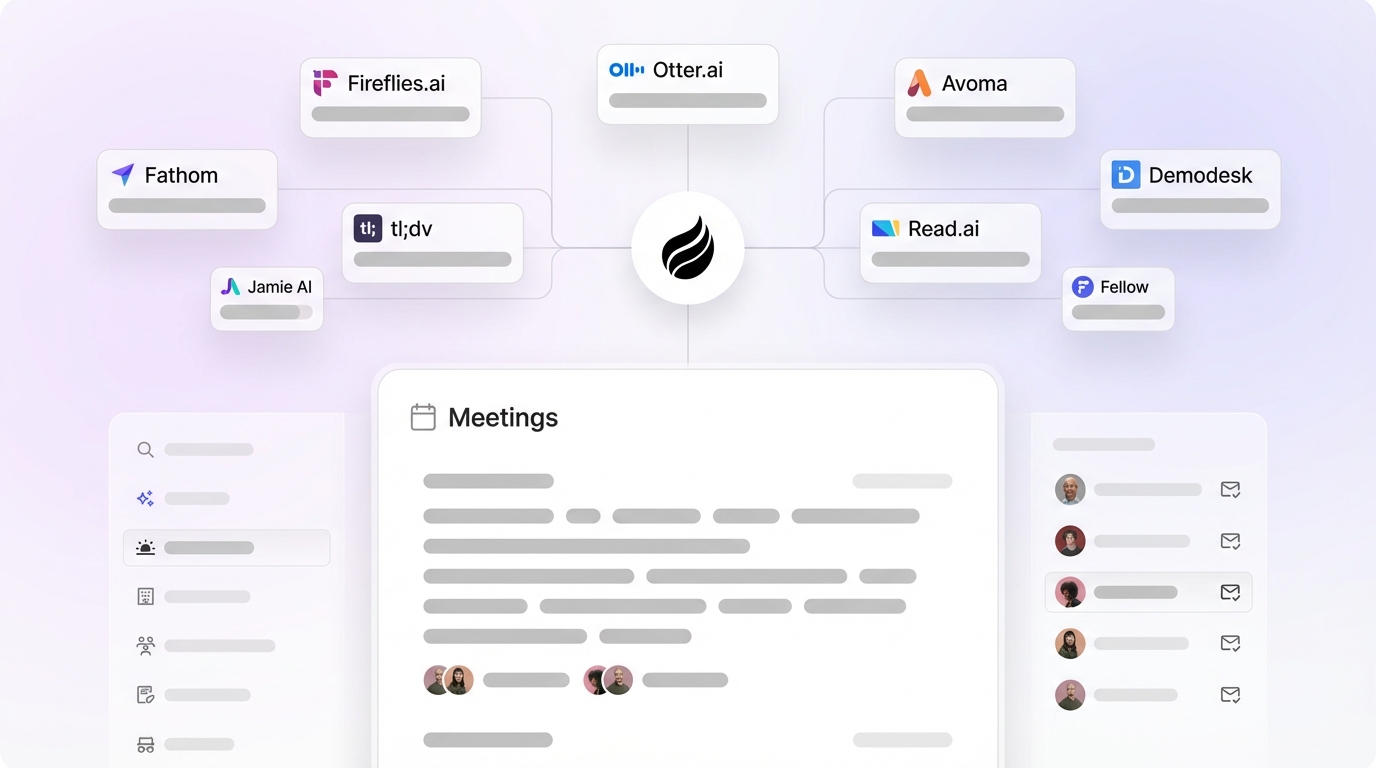
Manual data transfers guarantee stale intelligence and low adoption. Coffee’s Companion App writes directly to Salesforce and HubSpot fields, including custom objects. The January 2026 update also added Zapier integration with existing recorders like Fathom, Gong, and Fireflies, giving teams flexibility to route transcripts from their current tools into Coffee’s agent without replacing their existing workflow immediately.
Long-Term Flexibility and CRM Strategy
Coffee operates in two modes: as a full standalone CRM and as a Companion App layered on Salesforce or HubSpot. Teams can start with the Companion App and migrate to the standalone CRM later, or reverse that path, without losing historical data stored in Coffee’s data warehouse. Point solutions like Fireflies and Fathom lock teams into a transcript-only data model with no path to full CRM replacement.
Tools That Avoid Bot Fatigue
Bot fatigue has become a consistent friction point. Prospects in regulated industries, enterprise accounts, and executive-level meetings frequently decline or remove bot participants, which causes note-takers that depend entirely on a bot to miss the call entirely.
The desktop app introduced earlier addresses this problem directly by allowing reps to record locally without a bot joining the meeting. This approach eliminates the consent and optics problem while still feeding the transcript into Coffee’s agent for summary generation, CRM sync, and follow-up drafting. Fireflies, Gong, Avoma, and Fathom all rely on a bot participant as their primary recording mechanism, with no documented bot-free alternative as of July 2026.

CRM data drift forms the second major complaint. When a bot misses a call, or a rep dismisses the bot to avoid friction, no data enters the CRM. Coffee’s agent mitigates this risk by also capturing context from email threads and calendar events, so even a bot-free call produces enriched contact and activity records from surrounding signals.
Best-Fit Use Cases by Team Stage
Early-Stage Teams (1–20 Employees)
Teams that have outgrown spreadsheets but find Salesforce or HubSpot too maintenance-heavy fit best with Coffee’s Standalone CRM. The agent handles contact creation, activity logging, and pipeline tracking from day one and removes the need for a dedicated RevOps hire to maintain data quality.

Growing Sales Organizations (20–200 Employees)
Teams running structured pipelines with a defined methodology such as BANT, MEDDIC, or SPICED need note automation that produces structured outputs, not free-text summaries. Coffee’s custom summary templates, released in November 2025, are customizable to match workflows and writable back to Coffee, HubSpot, or Salesforce. Avoma is a credible alternative at this stage for teams that prioritize call coaching analytics, though it lacks the standalone CRM option and bot-free recording.
Teams Committed to Salesforce or HubSpot
Coffee’s Companion App is purpose-built for this segment, writing structured, methodology-aligned notes directly to existing Salesforce or HubSpot fields without requiring a full CRM migration. Critical criteria for AI sales tools include pre-built CRM connectors and bi-directional data flow to ensure operational changes that close deals. Coffee’s deep understanding of Salesforce objects, including quotas, forecasting, and required fields, differentiates it from newer AI CRM alternatives like Day.ai and Clarify, which lack the integration depth needed for established mid-market deployments.
Find the Coffee plan that matches your team stage and primary constraint.
Risks and Limitations of Current Options
Every tool category carries tradeoffs that vendor marketing tends to underplay, and these risks often compound over time.
- Hidden maintenance work. Agentic AI for CRM hygiene automatically monitors records for stale data, duplicates, missing fields, and inconsistencies, but only 21% of organizations have the governance structures agentic AI requires. Teams deploying point-solution note-takers without a governance layer accumulate data drift silently.
- Incomplete automation. This maintenance burden exists because most tools stop at transcription. A tool that auto-fills a CRM field is automation, while one that reads transcripts, identifies objections, researches context, and emails tailored follow-ups functions as an agent. Most tools marketed as “AI note-takers” in 2026 fall into the automation category, not the agent category.
- Integration gaps. Even tools that claim automation often fail at the integration layer. Teams with messy CRM data see amplified chaos from AI sales tools, while teams with clean CRMs see amplified productivity. A note-taker that cannot write structured data back to CRM fields compounds existing data quality problems, because the automation stops at the transcript.
- Cost of fragmented stacks. These integration gaps push teams to stack multiple point solutions. The economics of sales changed with agent-based tools: an SDR costing $60k fully loaded now competes with AI-SDR-as-a-service products priced around $1,000–$3,000 a month. Stacking a separate note-taker, enrichment tool, and forecasting add-on on top of a legacy CRM license frequently exceeds the cost of a unified agent.
Decision Framework for Selecting a Tool
Align your primary constraint with the corresponding recommendation so the tool choice reflects your real bottleneck.
- Primary constraint: CRM data quality on Salesforce or HubSpot. If your existing CRM holds valuable historical data but suffers from inconsistent note-taking, deploy the Companion App approach detailed in the use cases section above. This enriches what you already have instead of forcing a migration.
- Primary constraint: Replacing a legacy CRM entirely. If your current CRM has become a maintenance burden and you want a clean-slate approach, deploy Coffee Standalone CRM. The agent manages the full system of record from day one and removes the need to maintain a separate legacy system.
- Primary constraint: Call coaching and rep scorecards at scale. Avoma or Gong work well for this specific use case, with the caveat that neither offers a standalone CRM or bot-free recording, so they function as analytics layers rather than full systems of record.
- Primary constraint: Budget-constrained teams needing basic transcription only. Fireflies or Fathom cover transcript capture at lower price points. Expect manual CRM reconciliation work and no pipeline visibility output beyond the transcript itself.
- Primary constraint: Bot fatigue in executive or regulated-industry calls. Coffee is the only evaluated tool with a documented bot-free desktop recording option that still feeds the full agent workflow, which keeps data flowing even when prospects reject bots.
Frequently Asked Questions
How long does it take to implement an AI meeting notes tool that syncs to Salesforce or HubSpot?
Implementation time varies significantly by tool architecture. Point-solution note-takers like Fireflies or Fathom can be connected to a calendar and CRM in under an hour, but field mapping and workflow configuration for accurate CRM write-back typically takes one to two weeks of RevOps time. Coffee’s Companion App connects to Salesforce or HubSpot via a single authentication step and begins syncing immediately, with the agent handling field mapping automatically. Full deployment, including custom summary templates and methodology configuration, typically completes within a few days for teams under 50 seats.
What happens to existing CRM data when switching to an AI-first tool?
For teams using Coffee as a Companion App on top of Salesforce or HubSpot, existing data remains in the primary CRM untouched. Coffee’s agent enriches and appends to existing records rather than replacing them. For teams migrating to Coffee’s Standalone CRM, historical contact and deal data can be imported via CSV or API. Coffee’s data warehouse architecture preserves historical context after import, unlike legacy relational databases that overwrite field history on update.
Is meeting data processed by these AI tools secure and compliant?
Coffee is SOC 2 Type 2 and GDPR compliant. Meeting transcripts and CRM data processed by Coffee’s agent are not used to train public AI models. Teams in regulated industries should verify that any AI note-taking tool they evaluate holds equivalent certifications and provides a data processing agreement. Bot-based recorders introduce an additional compliance consideration, because the bot’s presence on a call may require explicit consent disclosures under state wiretapping laws and GDPR Article 13, which Coffee’s bot-free desktop recording option can help mitigate.
Can these tools support multiple sales methodologies across different teams?
Coffee supports BANT, MEDDIC, and SPICED through custom summary templates that can be configured per team or per deal type and written back to Salesforce, HubSpot, or Coffee’s standalone CRM. This setup allows an enterprise team running MEDDIC and an SMB team running BANT to operate within the same Coffee instance with distinct outputs. Avoma supports automatic methodology scorecards on higher pricing tiers. Gong supports methodology scoring through manually configured scorecards rather than automatic transcript extraction.
How does Coffee handle pipeline visibility beyond individual meeting notes?
Coffee’s agent captures every interaction, including emails, calendar events, and call transcripts, into a built-in data warehouse. It can therefore generate pipeline intelligence that reflects the full deal history rather than only the last meeting. The Pipeline Compare feature shows week-over-week changes and highlights progressed deals, stalled opportunities, and new additions automatically. The AI search on deals allows managers to query the pipeline in natural language without building reports manually. This end-to-end data loop, from note capture to pipeline insight, forms the core architectural difference between Coffee and point-solution note-takers that stop at the transcript.
Conclusion: Point Transcribers vs Full CRM Agents
The 2026 market for AI sales meeting notes tools splits into two clear categories: point-solution transcribers that capture audio and produce summaries, and full CRM agents that own the complete data-in/data-out loop. Salesforce’s State of Sales 2026 survey of 4,050 sales professionals found that 87% of sales organizations use AI in some form, and 54% have deployed AI agents. The majority still rely on point-tool automation that produces transcripts without closing the CRM data loop.
Fireflies and Fathom serve teams with basic transcription needs and limited CRM write-back requirements. Avoma and Gong serve larger organizations that prioritize call coaching analytics, at a cost and complexity premium. None of these tools address bot fatigue with a documented alternative, and none offer a path from note capture to full CRM replacement within a single product.
Coffee is the only evaluated solution that delivers both note capture and the complete data-in/data-out loop inside Salesforce, HubSpot, or as a standalone CRM, with a bot-free recording option, methodology-aligned summary templates, and pipeline intelligence built on a data warehouse rather than a static relational database.
See how Coffee’s agent-based approach compares to your current stack—explore pricing.